
Intranet Communications
News carousels, tile navigation, polls, discussions, video and RSS web parts that turn a SharePoint page into a living intranet.
- Products
- 4
- Supported Languages
- 49
- From
- $9/month
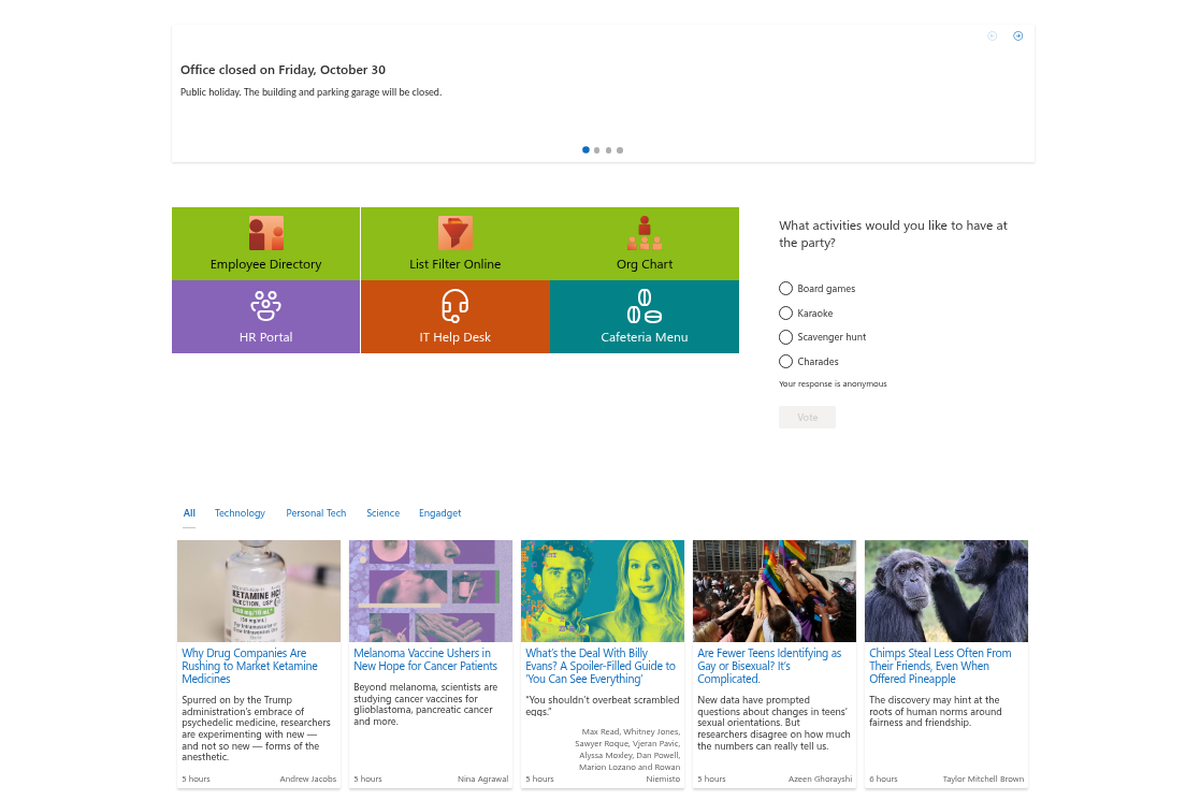
Intranet Communications is the Vitextra product family that turns a plain SharePoint page into a living intranet. Its web parts let content editors publish news that gets noticed, build clear visual navigation, run quick polls, host discussions, organize corporate video and bring in external news feeds — with no code and no ticket to IT. All products work in SharePoint Online and Microsoft Teams and are priced per tenant. The family includes Announcements Carousel, Smart Tiles, Quick Poll, Discussion Board, Video Library and RSS Reader.
Products
All products in Intranet Communications. Each one is licensed separately.
RSS Reader
Quick Poll
Smart Tiles
Announcements Carousel
Overview
Out of the box, SharePoint gives you a page. Intranet Communications gives you an intranet. The family brings together six focused web parts that content editors use every day to publish news that gets noticed, guide people to the right place, hear what employees think and give them room to talk — on SharePoint Online pages and inside Microsoft Teams.
Every product is a modern SharePoint Framework web part. There is no separate content system to learn: content lives in ordinary SharePoint lists and libraries, settings live in the web part property pane, and the look follows your site theme, the SharePoint Brand Center and dark mode automatically.
Announcements Carousel
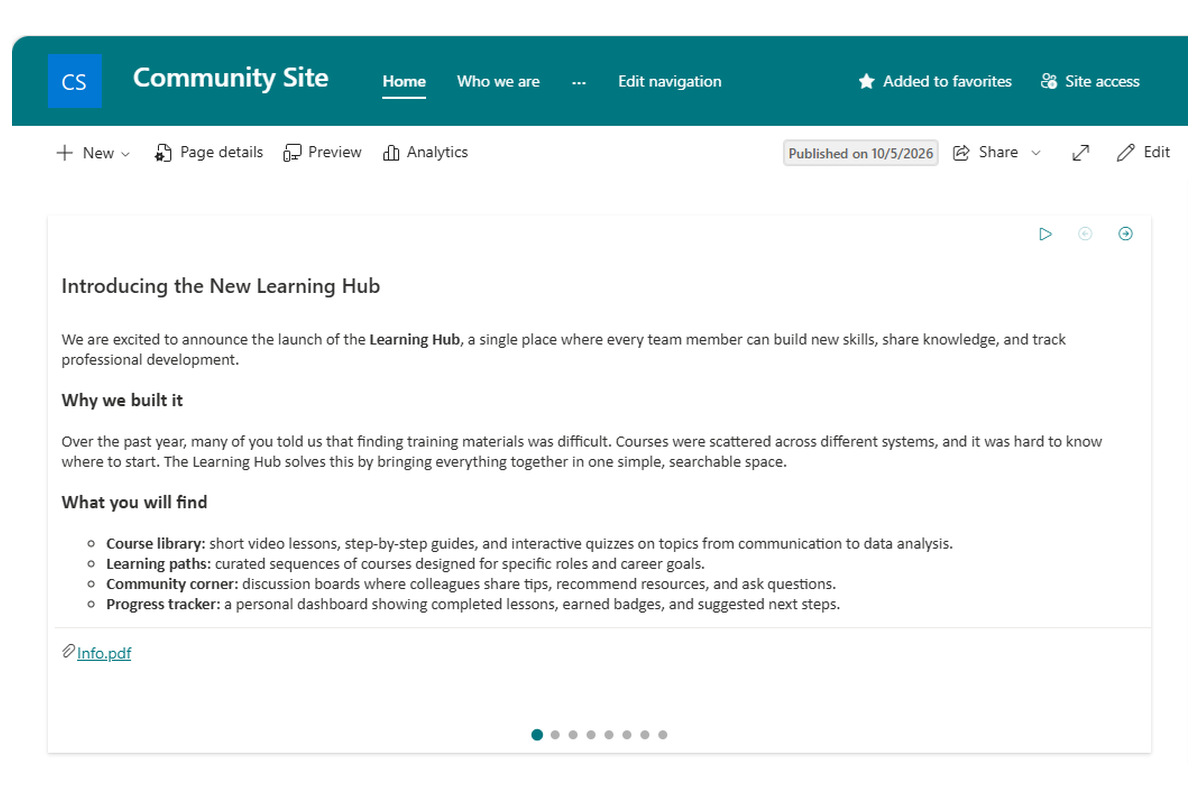
Announcements Carousel puts company news where nobody can scroll past it: a full-width, animated banner at the top of the home page. Editors pick the news source — a SharePoint list, a pages library or a folder of images — set the schedule and the transition style, and the carousel takes care of the rest, including automatic rotation and mobile layouts.
Scheduling lets a message appear and disappear on its own dates, so holiday notices, policy reminders and event announcements are always current.
Smart Tiles
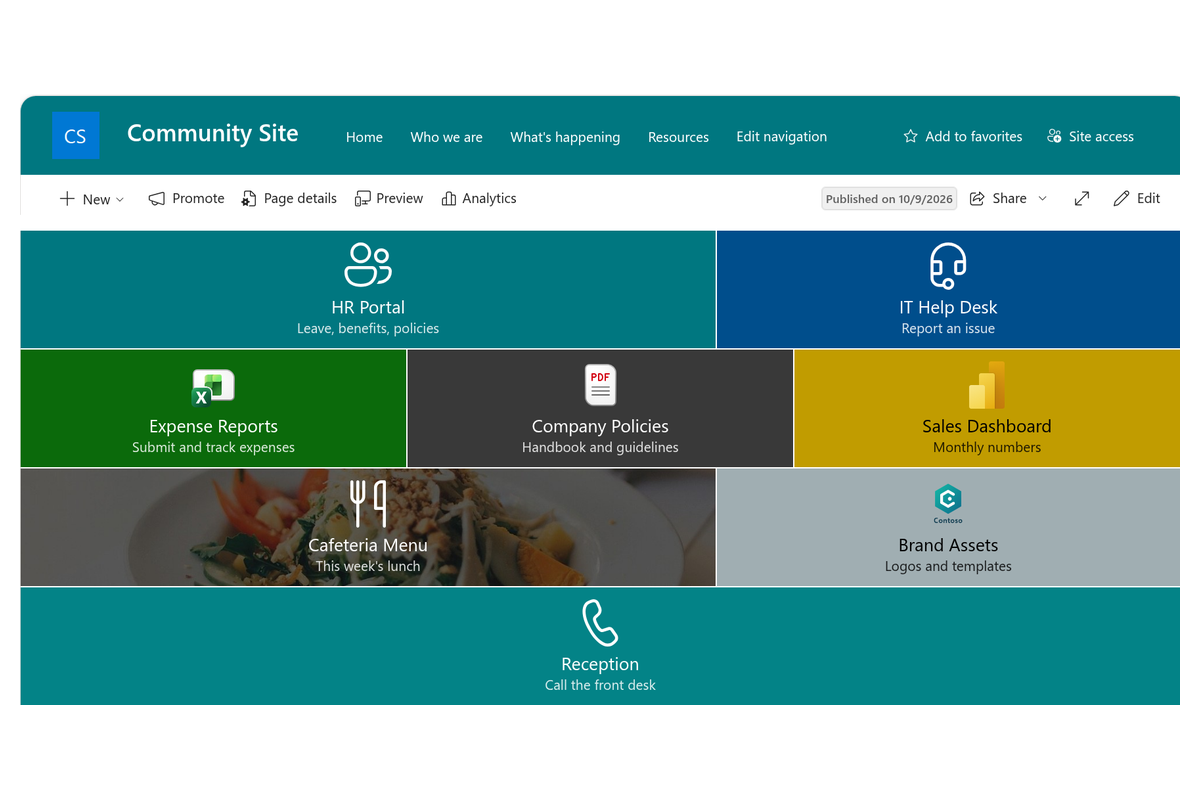
Smart Tiles turns a list of links into a clear, visual navigation block: tiles with icons or images, colors and short captions, arranged in a responsive grid. It is the fastest way to build a landing page for a department, a service catalog or a "where do I find…" section that people actually understand.
Tiles can open pages, documents or external sites, can be targeted at audiences, and pick up the site theme so the grid always looks like part of the page.
Quick Poll
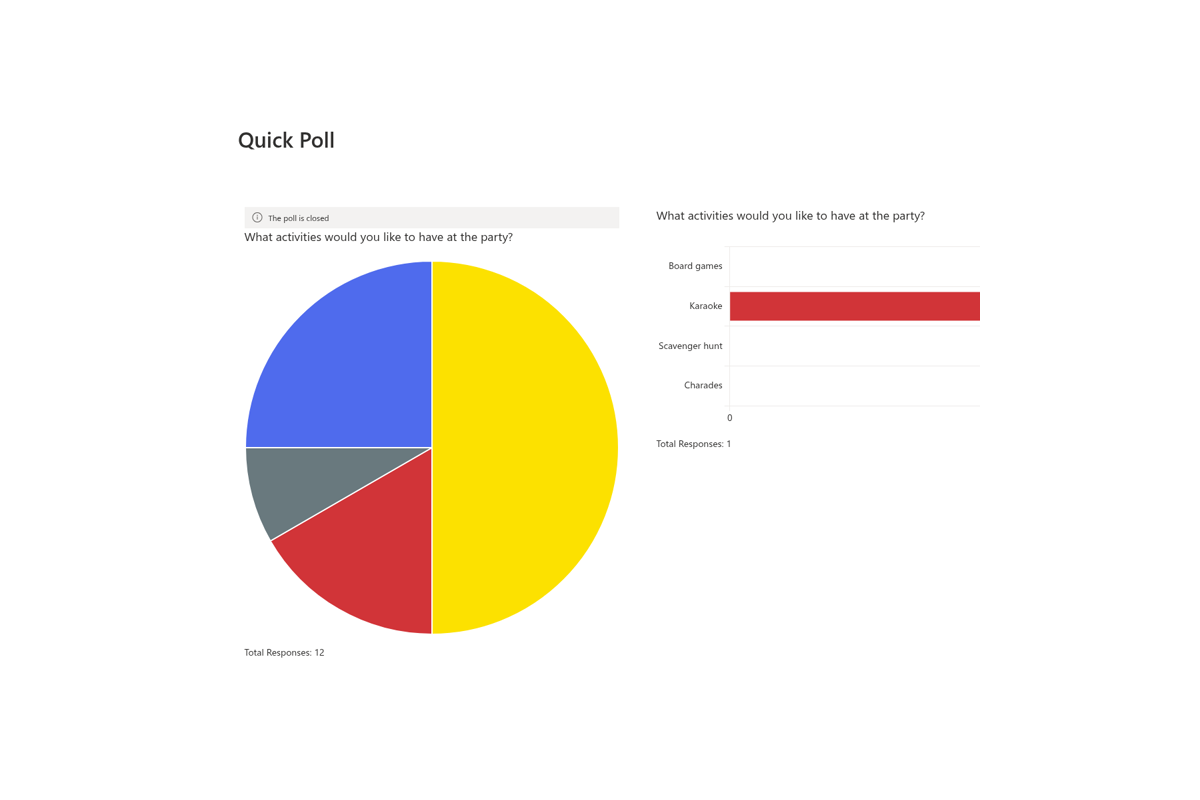
Quick Poll collects opinions in a single click. Create a question with one or several answers, choose whether voting is anonymous, and place the poll on a page or pin it as a Teams tab. Results appear immediately as a live chart — bar, column, doughnut, pie or radar — and can be exported to Excel.
It is the easiest way to run a pulse check after an all-hands, pick a date for a team event or gather feedback on a new policy.
Video Library and RSS Reader
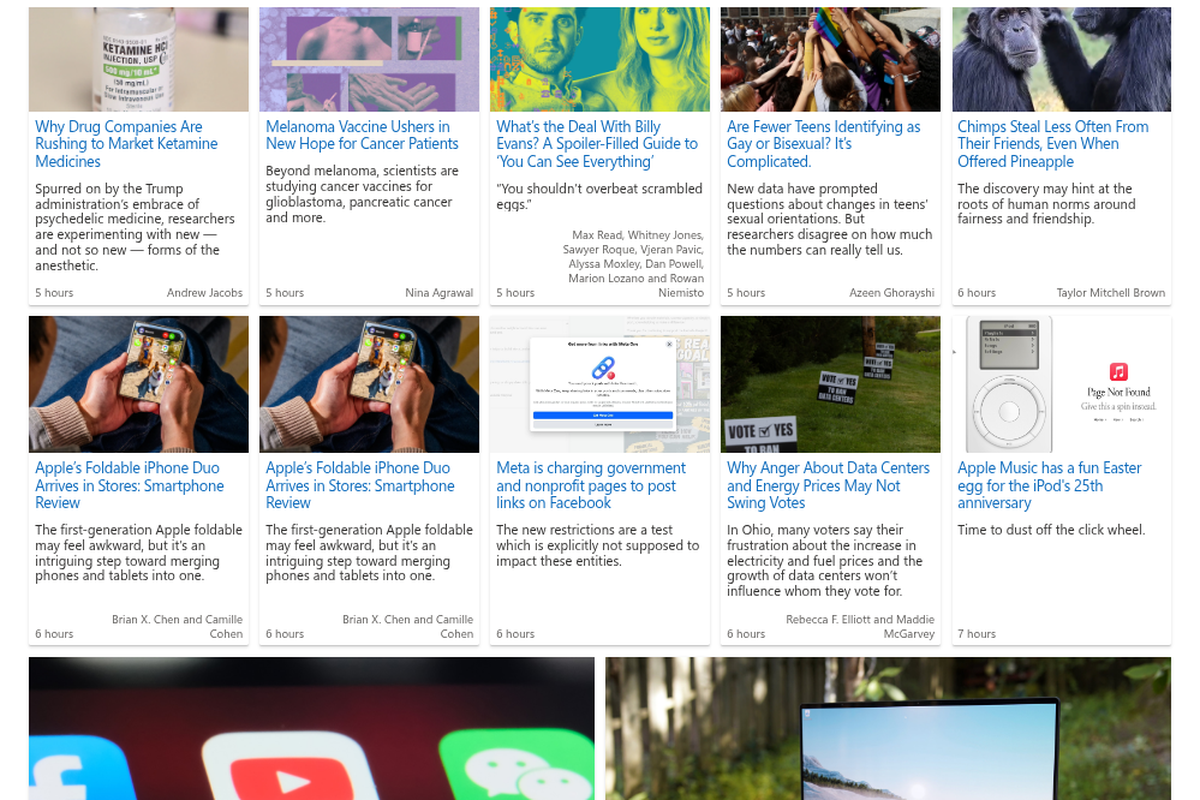
Video Library organizes corporate video — training, town halls, product demos — into a browsable gallery with categories, thumbnails and an in-page player, so recordings stop disappearing into document libraries. RSS Reader brings the outside world in: industry news, partner blogs and public feeds appear on the intranet in a compact list, a newsletter layout or cards, refreshed automatically.
Together they make the intranet the place people check first, not the place they visit last.
Start with One, Grow into a Toolkit
Each product in the family is installed and licensed separately, so you can begin with a single carousel on the home page and add polls, navigation and discussions as your intranet matures. All products are priced per tenant with unlimited users, come with a free, fully functional trial, and are also available together in Vitextra suites.
Other product families
Looking for something else? Browse the other product families.
Knowledge & Learning
Cross-site search, questions and answers, a knowledge base of verified articles, policy acknowledgement and employee learning for SharePoint Online and Microsoft Teams.
People & Organization
Employee directory, org charts and profile cards for Microsoft 365 — find anyone, see who reports to whom, keep profiles complete.
Productivity
List filtering, a folder tree, a personal task hub, room booking, a team password vault, short links, QR codes and live stock quotes — practical web parts for SharePoint Online and Microsoft Teams.
SharePoint Server Solutions
Farm solutions for SharePoint Server 2013–2019 and Subscription Edition — list filtering, auto titles, number generation and short links. Perpetual per-farm license.