
Absence & Coverage
Absence requests, balances, approvals, a team absence calendar and substitutions for SharePoint Online and Microsoft Teams — all data stays in your own Microsoft 365 tenant.
- Oct 2026
- v26.10.8
- Supported Languages
- 49
Absence & Coverage manages the whole absence cycle inside your Microsoft 365 tenant — time-off requests, balances, approvals, a team absence calendar and substitutions. Employees request leave and see their remaining days, managers approve with team conflicts in view, everyone sees who is away, and substitutes are assigned, confirmed and tracked. Built for SharePoint Online and Microsoft Teams, with all data stored in SharePoint lists on your own site.
- Absence requests with a live working-days count, half days and public holidays
- Balances per absence type with carry-over; overlap and insufficient-balance checks before submitting
- Manager approvals with team conflicts in view and a fallback approver
- Team absence calendar with timeline and month views, "Away today" summary and CSV export
- Private absence types shown to colleagues simply as "Away"
- Substitutions confirmed by the substitute: temporary or handover of duties, with a "No substitute" check for managers
- Microsoft Teams personal app and tab; all data stays in SharePoint lists of your own site; 50 languages
Overview
Absence & Coverage brings the entire absence process into your SharePoint Online intranet and Microsoft Teams. Employees submit time-off requests and see how many days they have left, managers approve without creating a hole in the team, colleagues see who is away, and the person who covers the absence knows exactly what they are covering.
The solution consists of three web parts built on the SharePoint Framework: My Absences, Team Absence Calendar and Substitutions. They work together on one site that holds the lists, and the profile, manager and direct-report information comes from Microsoft Entra ID through the Microsoft Graph API. There is no external service to subscribe to and no personal data leaves your tenant.
Your Balances at a Glance
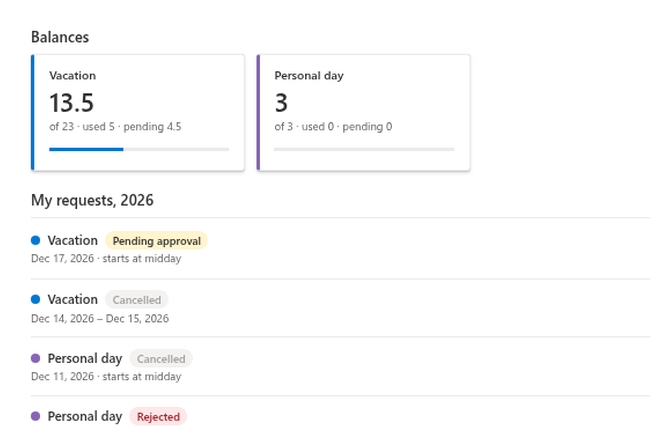
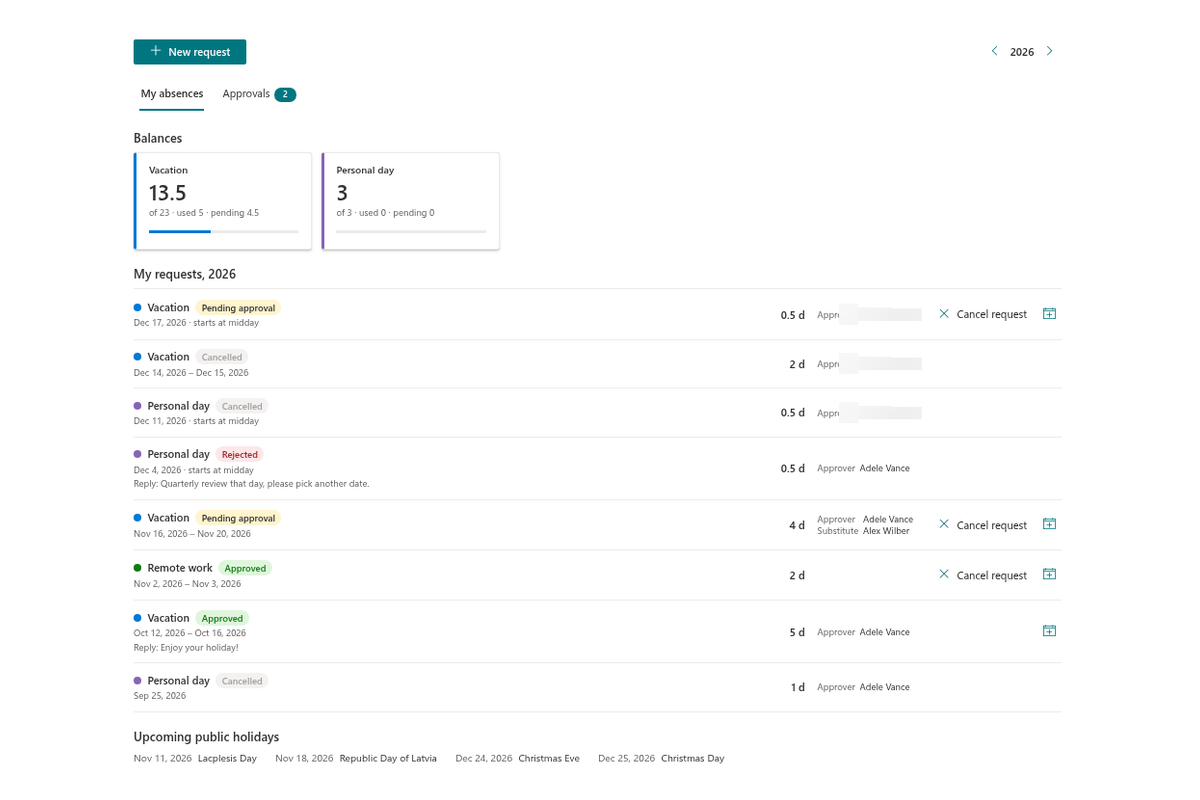
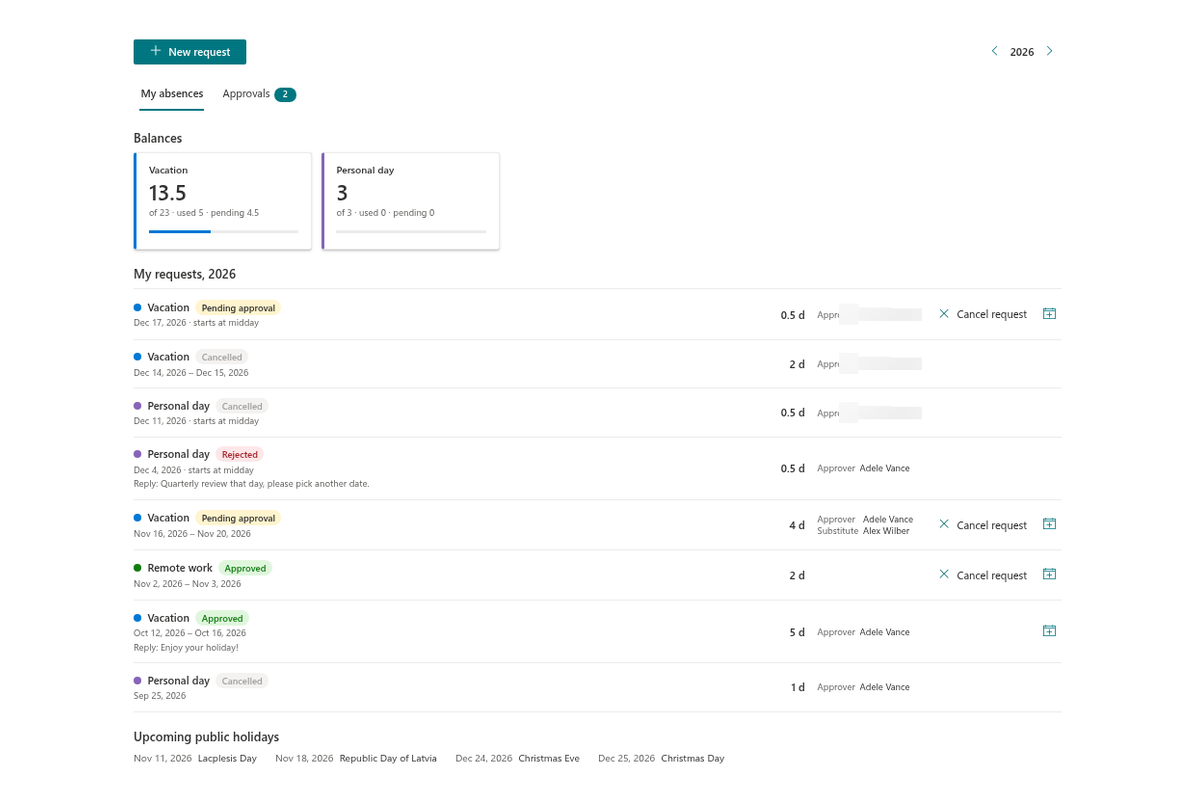
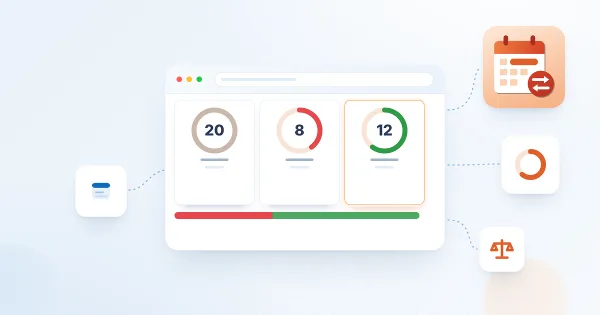
The My absences web part opens with a card for every absence type that has an allowance: the days you are entitled to (including carry-over and adjustments), the days already used, the days waiting for approval and the days that remain, with a progress indicator. Nobody has to ask the accounting department how many vacation days are left.
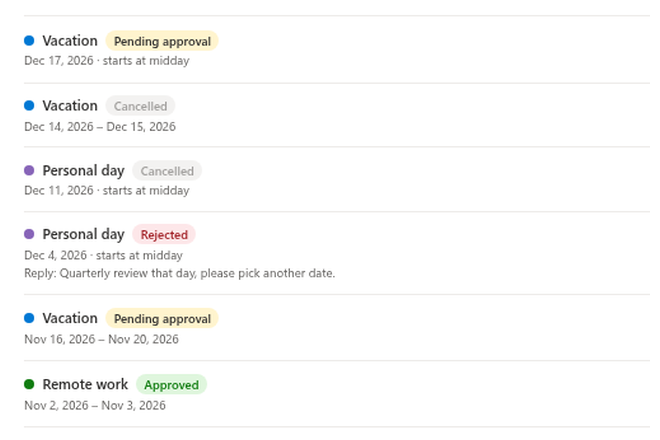
Below the balances, the year's requests are listed with their type, period, working days, status, approver and substitute. Pending and approved requests can be cancelled, and a cancelled request never reduces the balance.
Request Time Off in a Few Clicks
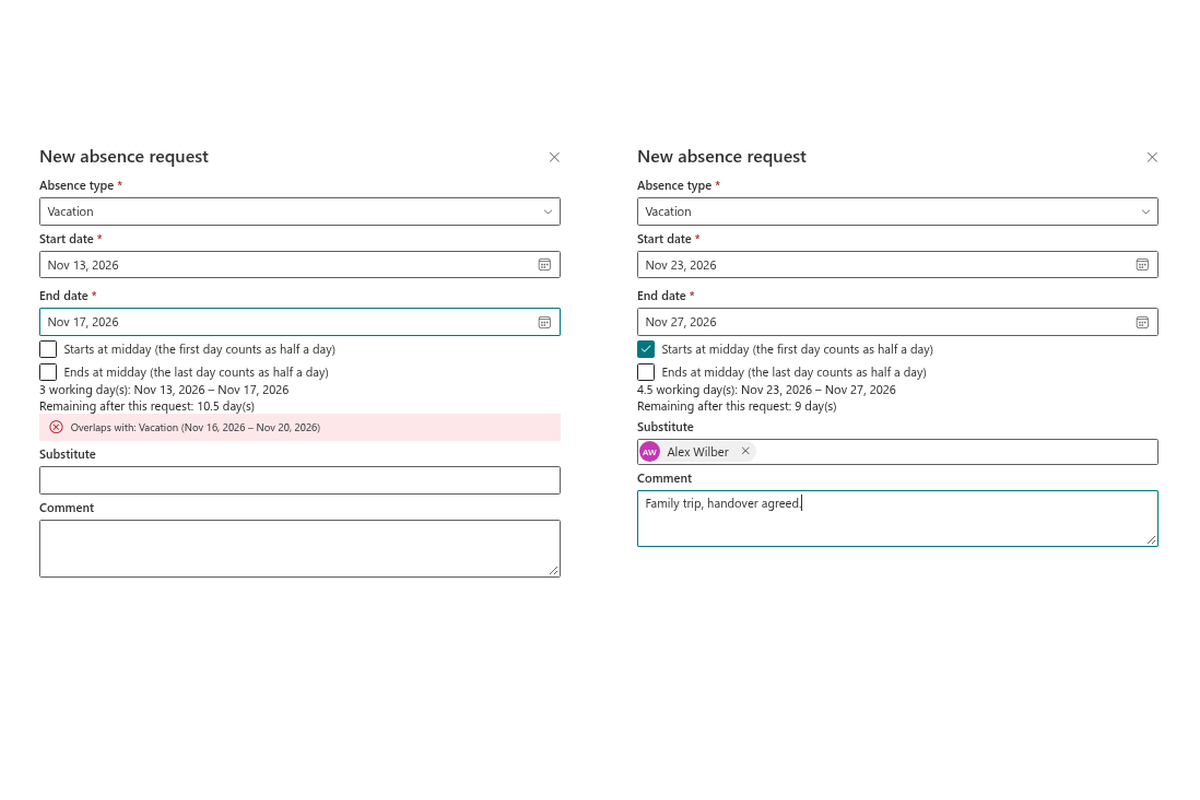
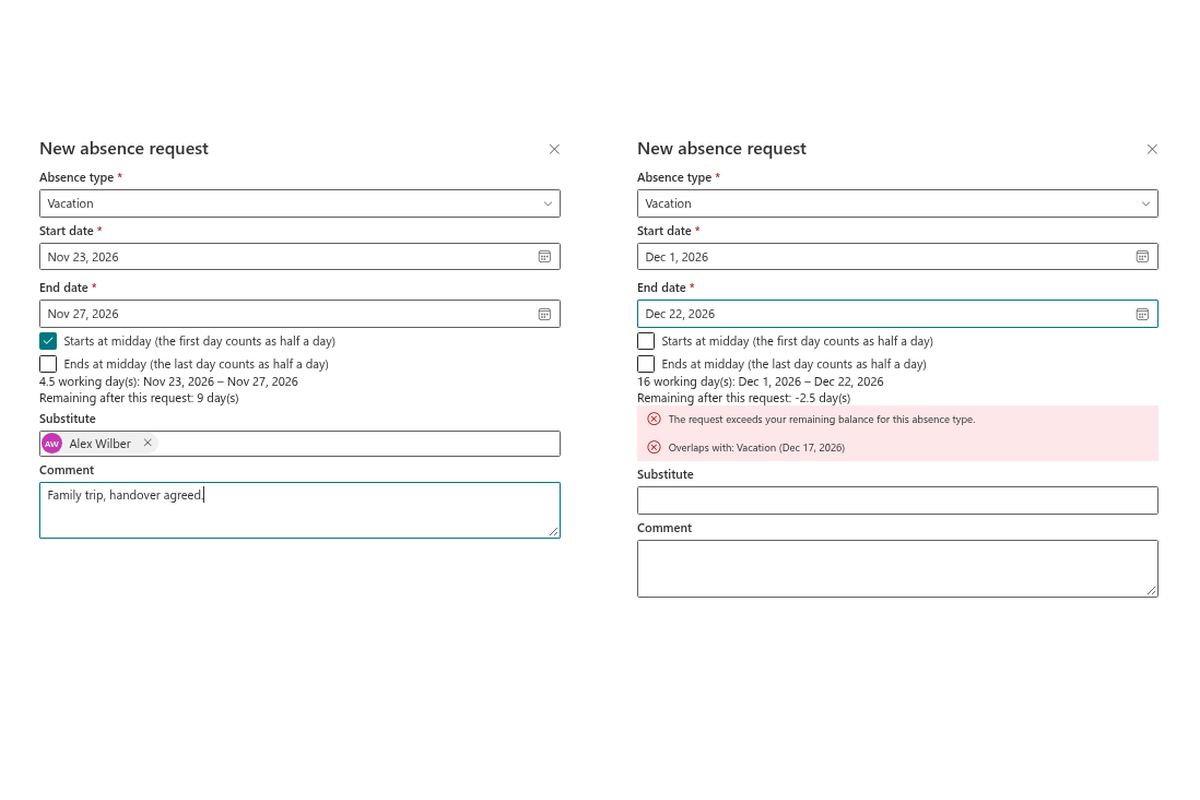
Click New request and pick the absence type, the period and, if you wish, a substitute and a comment. The number of working days is calculated live: weekends according to your organization's work week and public holidays are excluded, and the first or last day can be counted as half a day.
Problems are caught before the request is sent, not after it is rejected. The panel warns you when the period overlaps another request of yours, when the request exceeds your remaining balance, or when no approver can be found. Absence types that do not need approval are approved immediately. Every request can be added to your personal calendar as an .ics file.
Approve with the Whole Picture
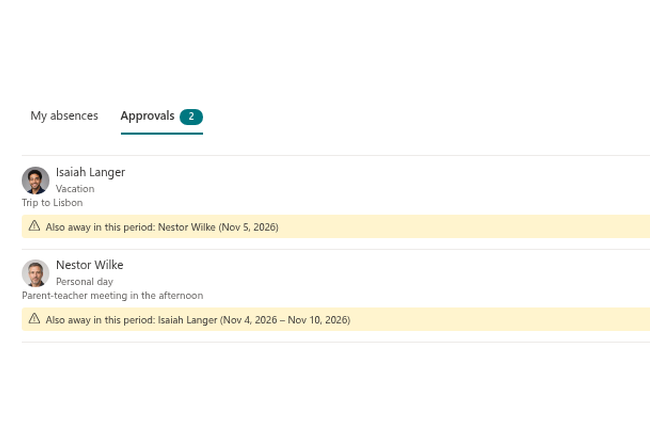
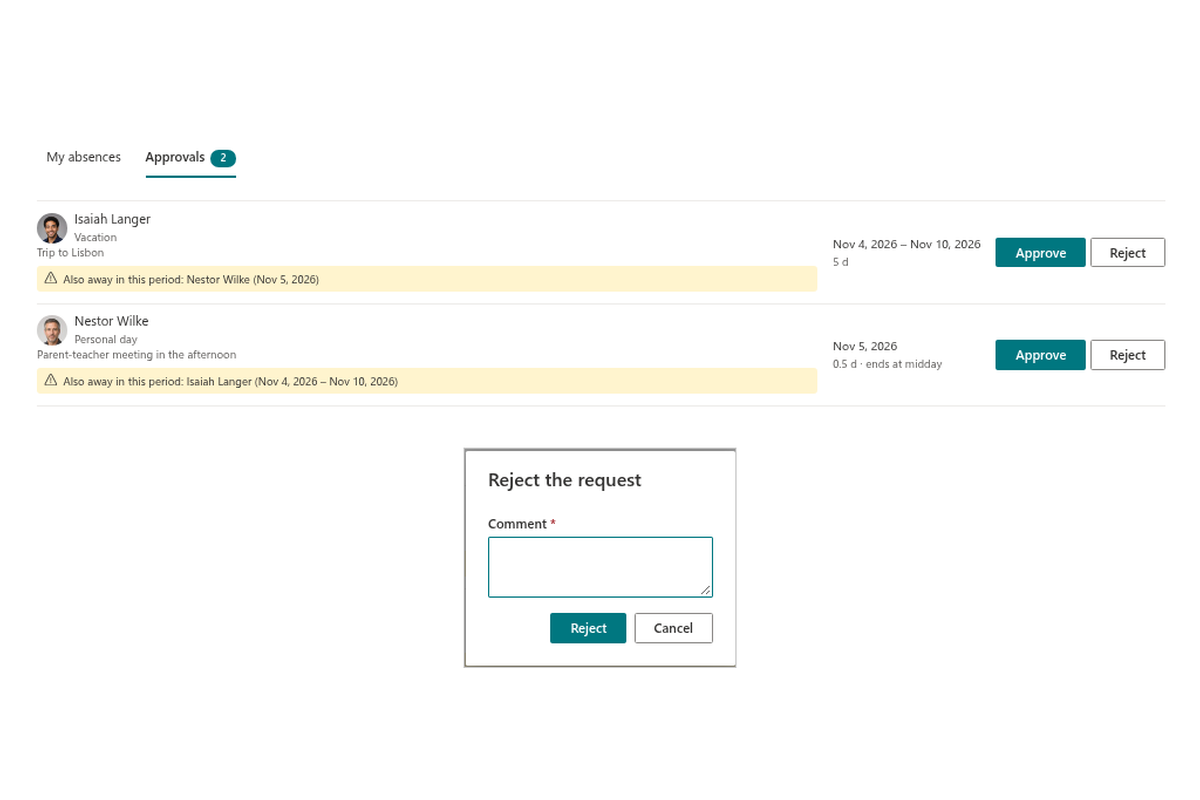
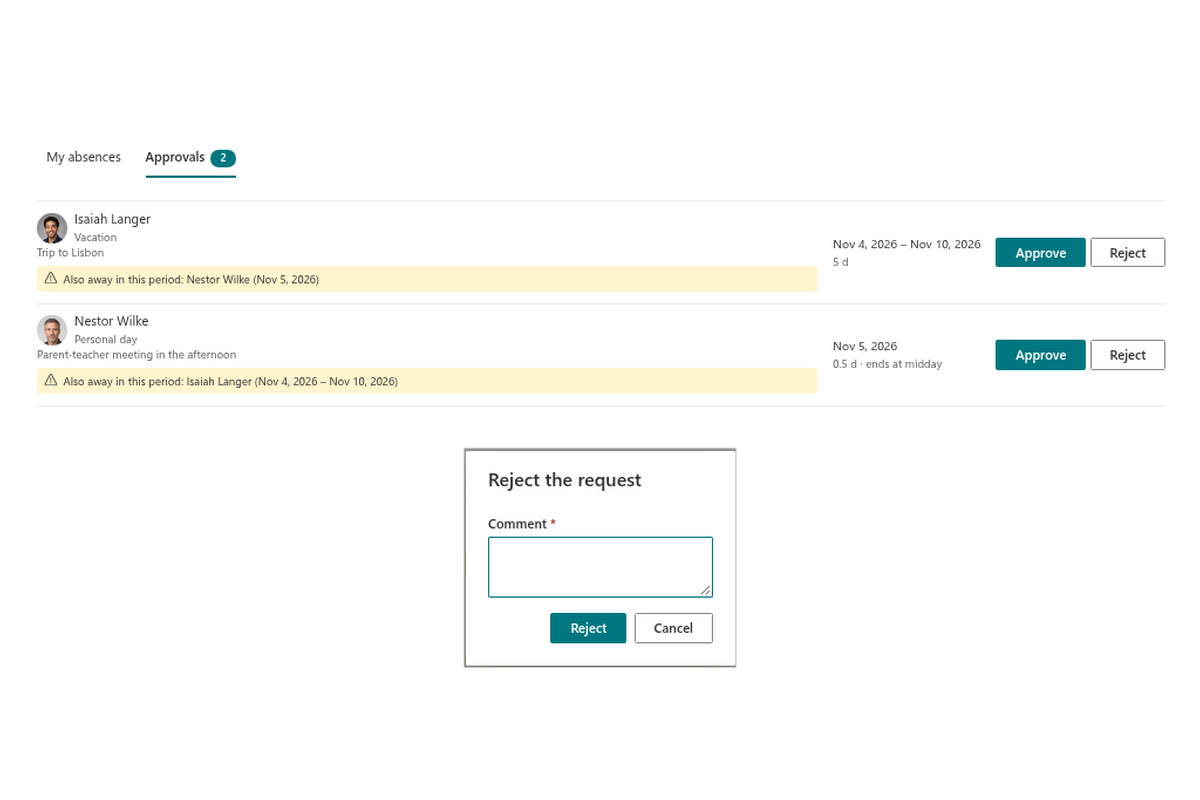
Managers get an Approvals tab with a counter of requests waiting for their decision. Each request shows the employee, the period, the substitute and — most importantly — who else is away in the same period, so a decision never leaves the team uncovered. Approve or reject with a comment; the employee sees the decision in their list.
The approver is the employee's manager from Microsoft Entra ID. If a person has no manager, a fallback approver configured for the site is used, and a request raised by the approver themselves is approved automatically.
The Team Absence Calendar
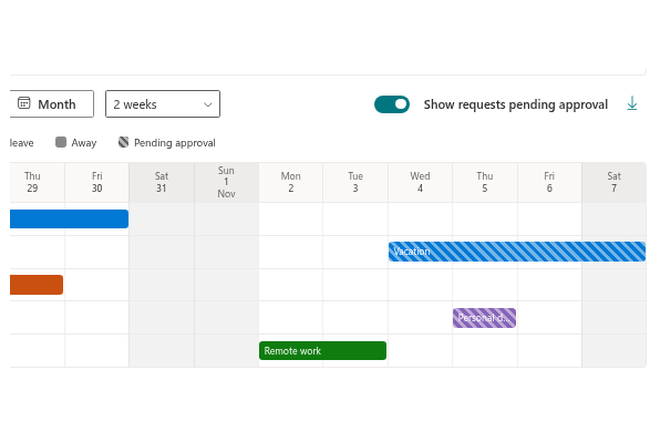
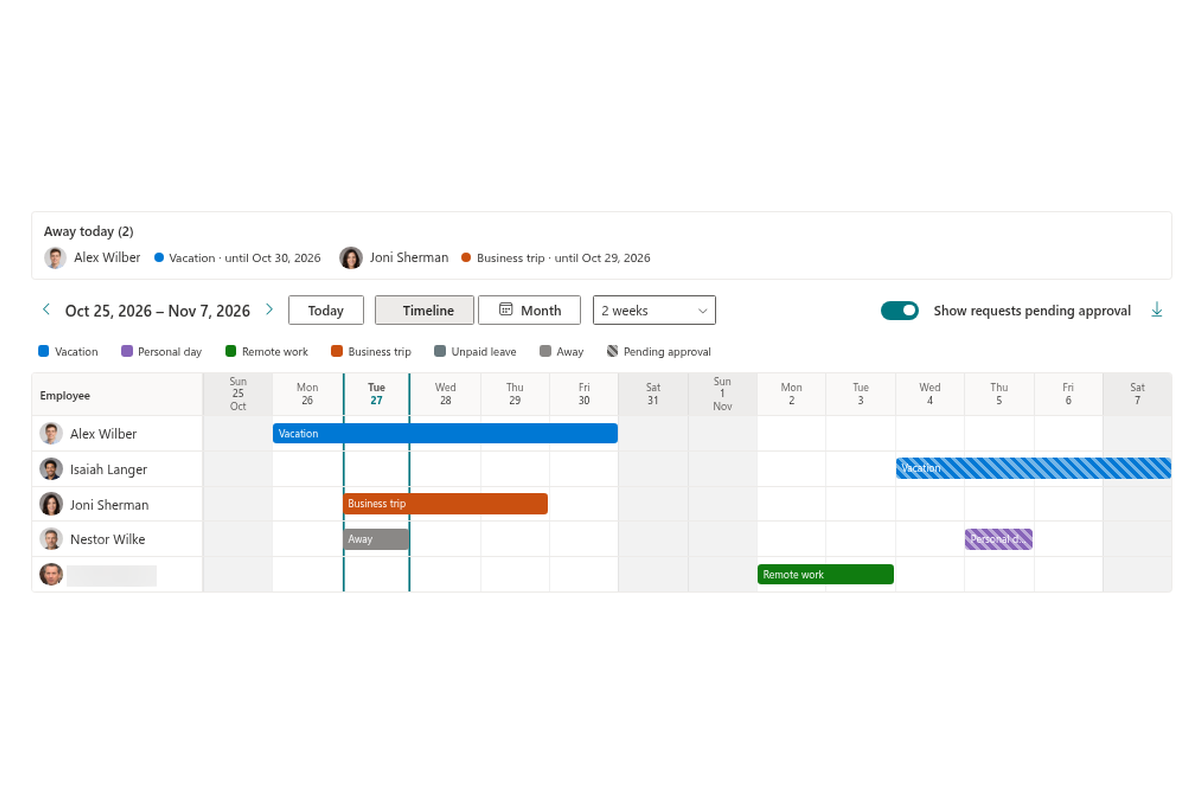
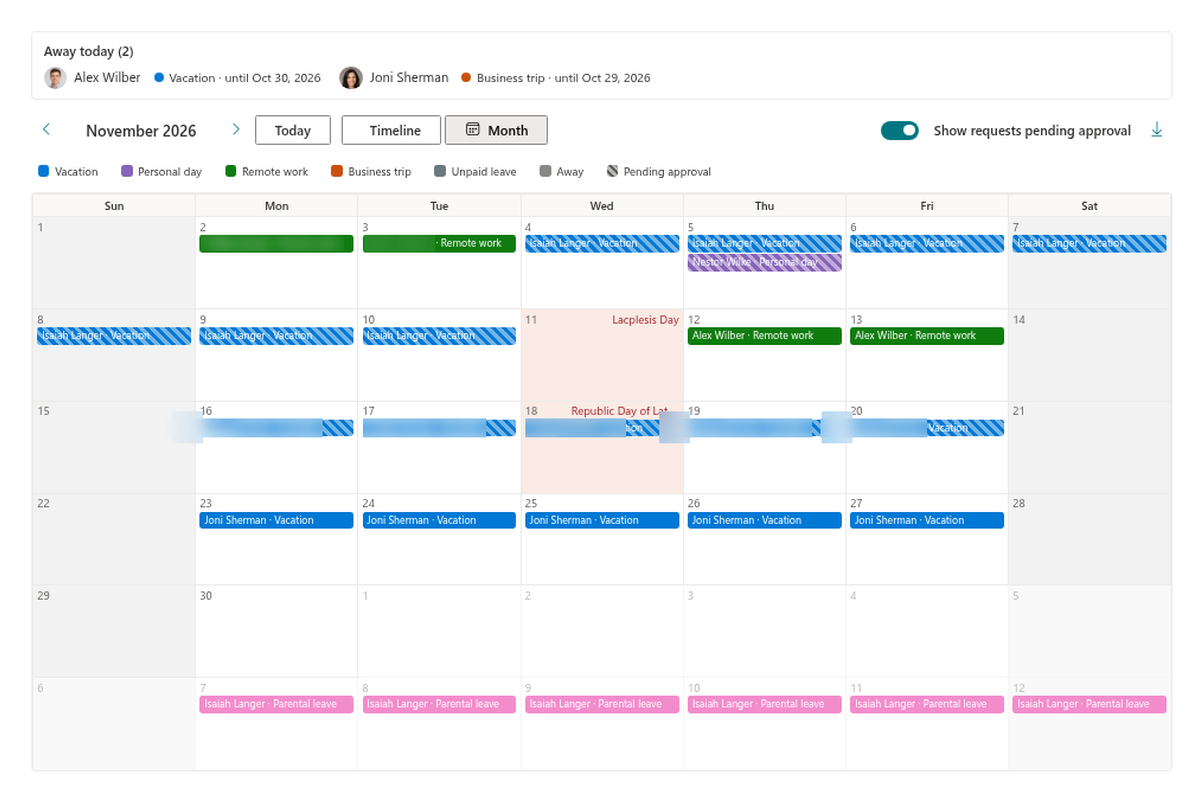
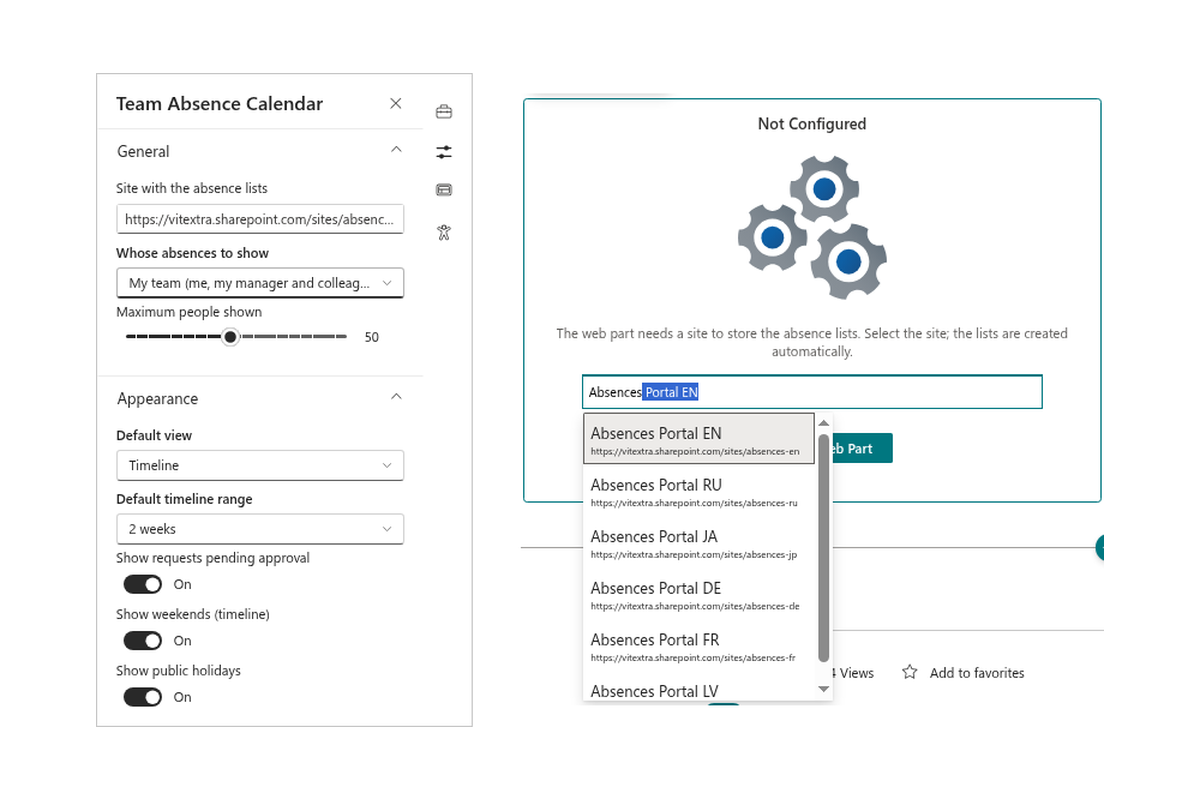
The Team Absence Calendar answers the question "who is away?" for everyone. Use the Timeline view (people in rows, days in columns) for a quick overview of a week, two weeks or a month, or the Month view for the classic calendar grid. Choose whose absences to show: my team, my direct reports, my department or everyone with absences.
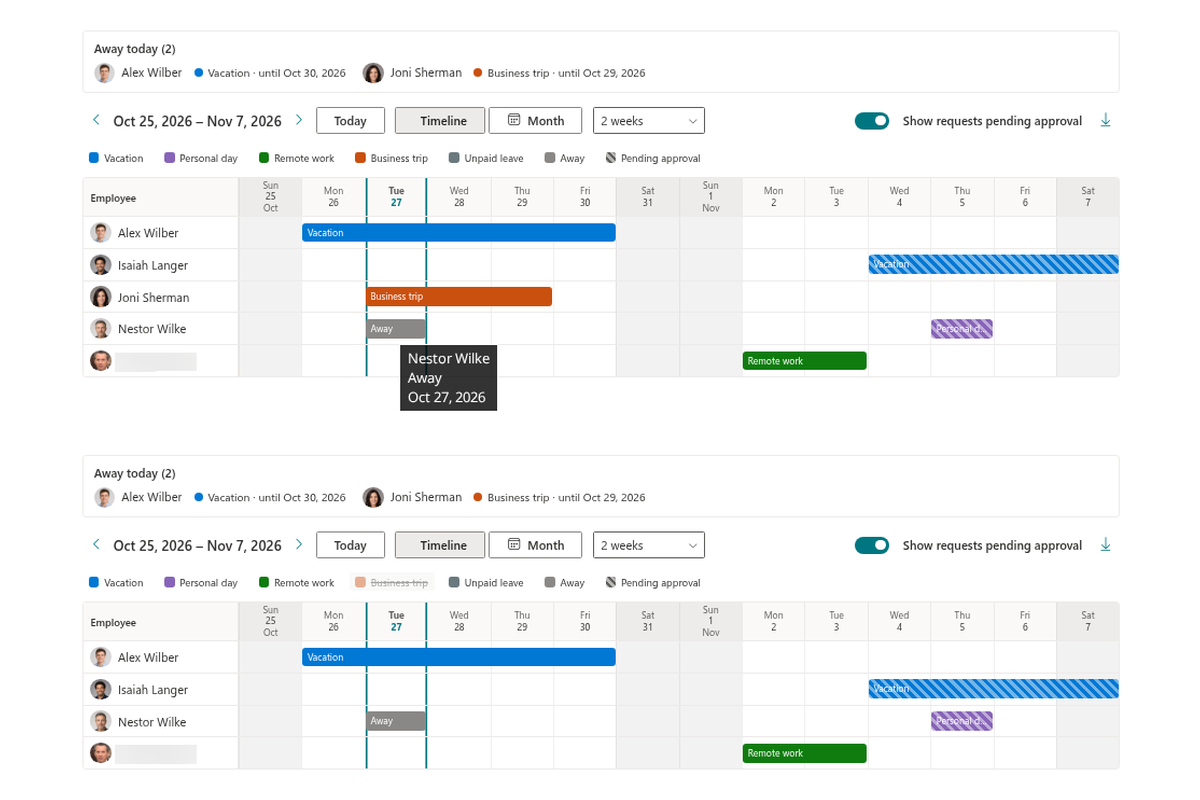
Each absence type has its own color, weekends and public holidays are shaded, today is marked, half days are labeled and pending requests are hatched so they are easy to tell from approved ones. Hover over a bar to see the person, the type, the period, the working days and the substitute.
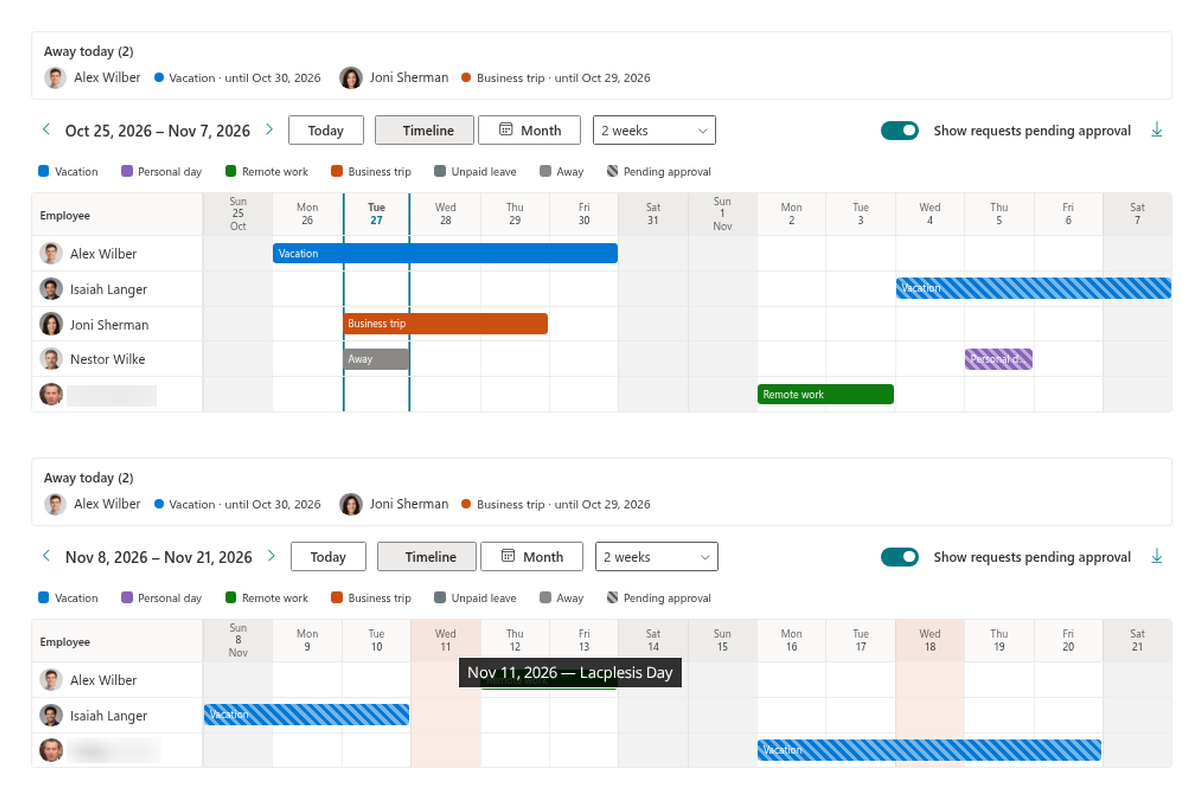
Away Today, Filters and Export
The Away today summary lists who is out right now and who covers them. The legend lists the absence types and is clickable — select a type to focus the calendar on it — and a switch shows or hides requests that are still pending. When you need the data elsewhere, Export to CSV saves the visible period.
Privacy is built in. For absence types marked as private, such as sick leave or personal circumstances, colleagues only see Away — without the type and without the comment.
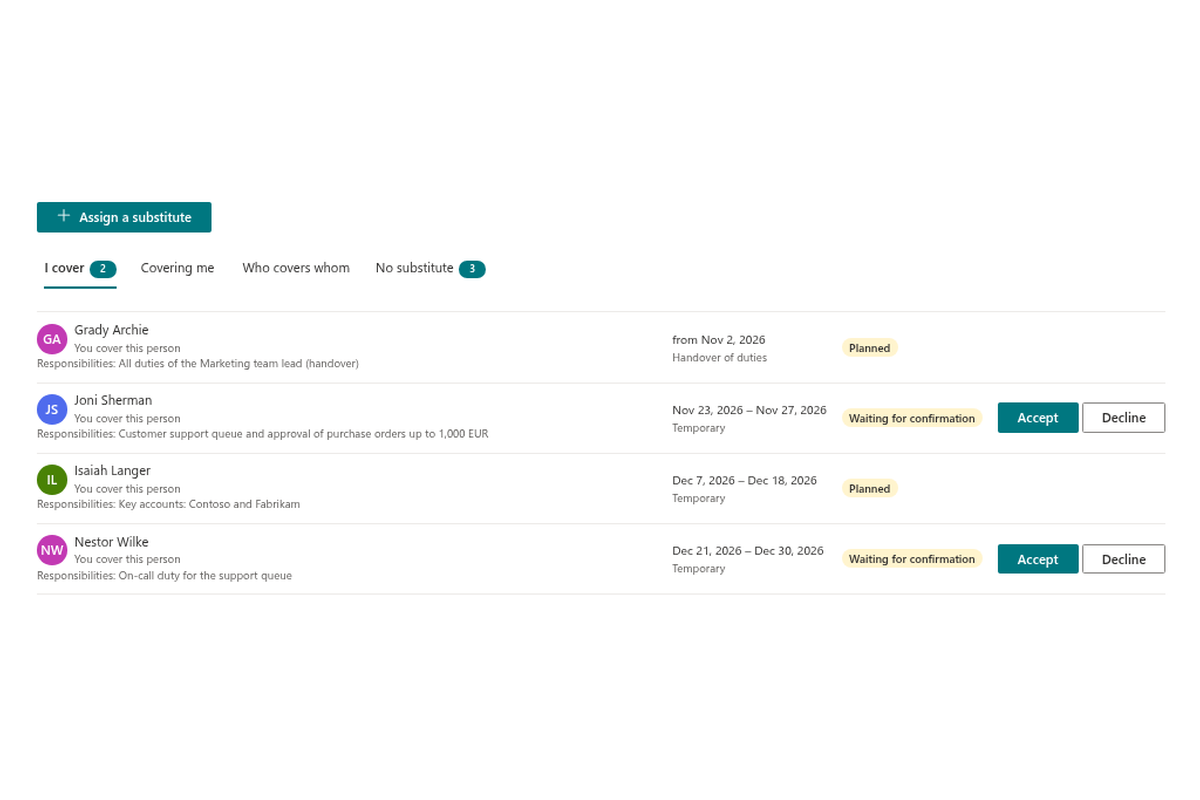
Substitutions Everyone Can See and Trust
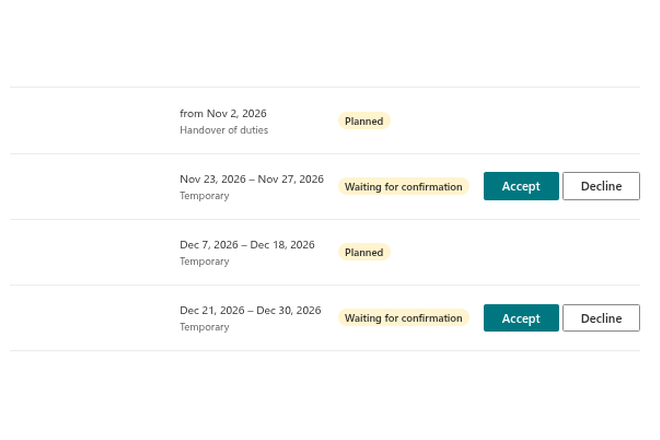
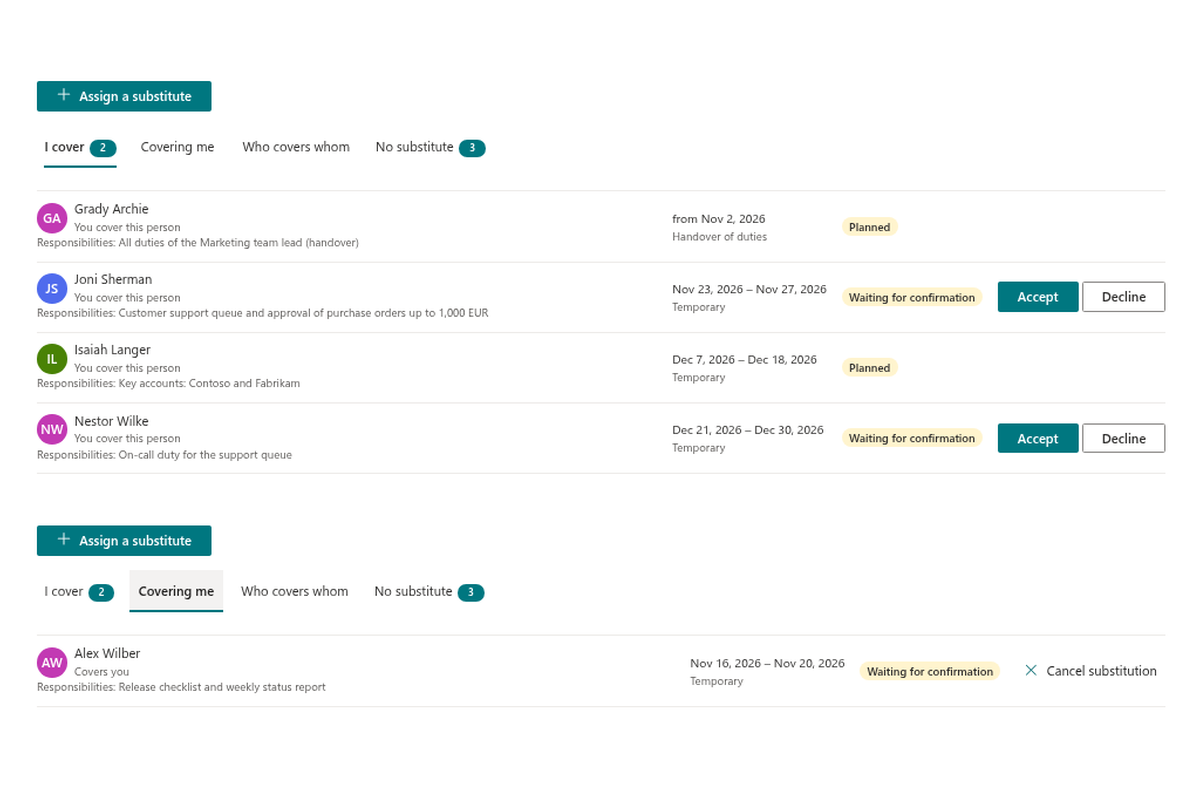
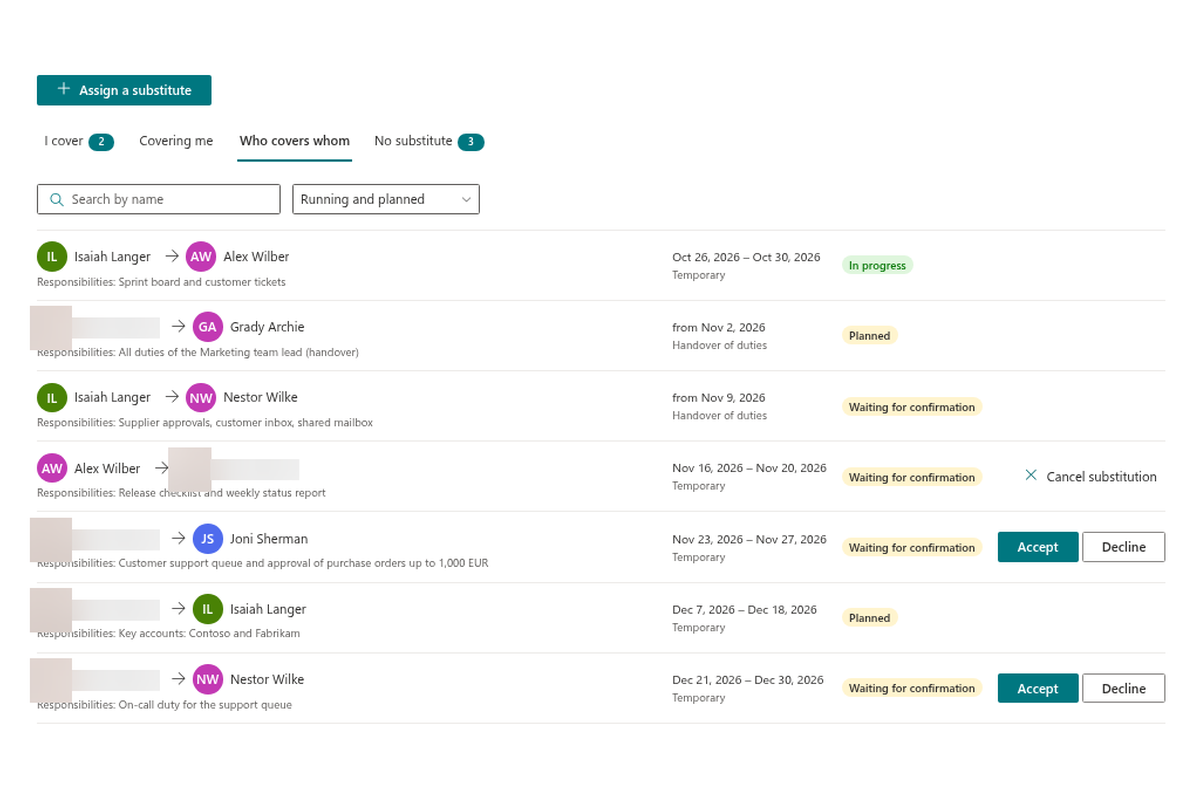
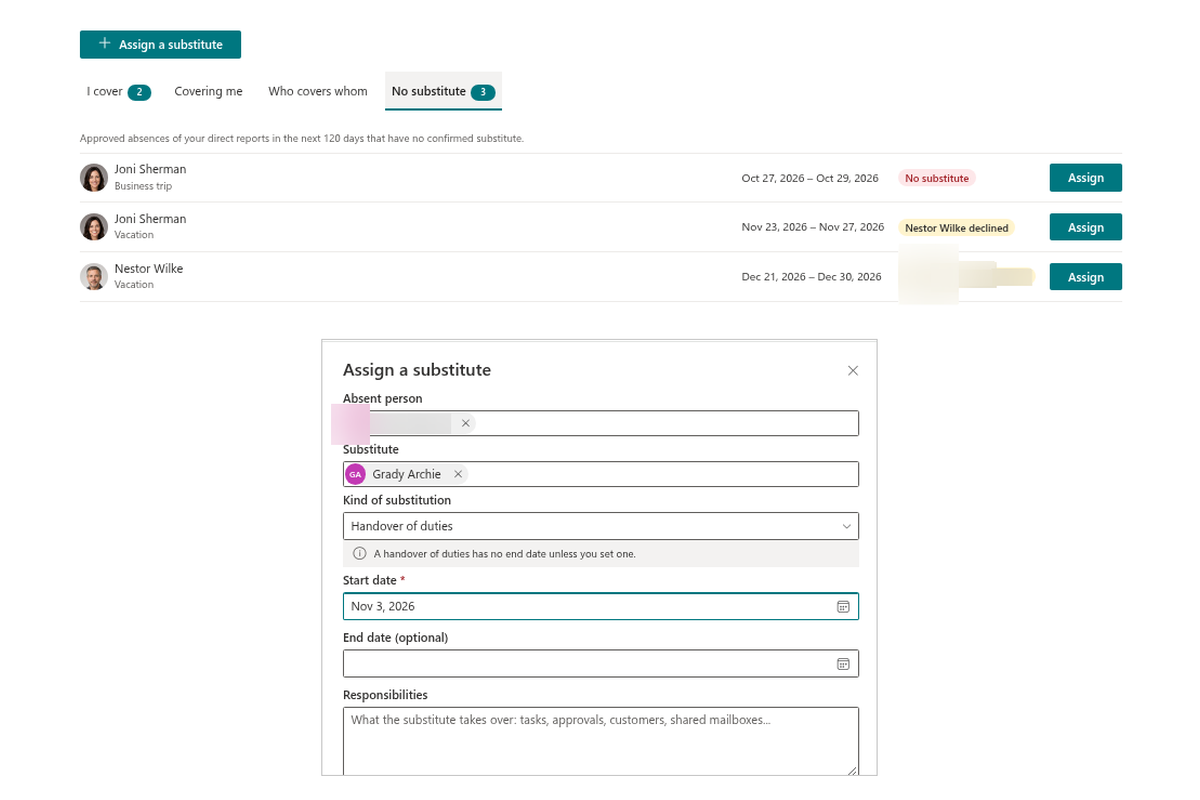
Coverage is a first-class object, not a note in a comment field. The Substitutions web part has a tab for each point of view: I cover lists whom you are substituting, for which period and with which responsibilities; Covering me shows who is taking over your work; Who covers whom is a searchable list for the whole organization, with the status of each substitution — in progress, planned or ended.
A substitution is chosen when the request is made, or assigned later. The substitute then accepts or declines it, so everybody knows whether the coverage is real. The responsibilities field describes what the substitute takes over: tasks, approvals, customers, shared mailboxes.
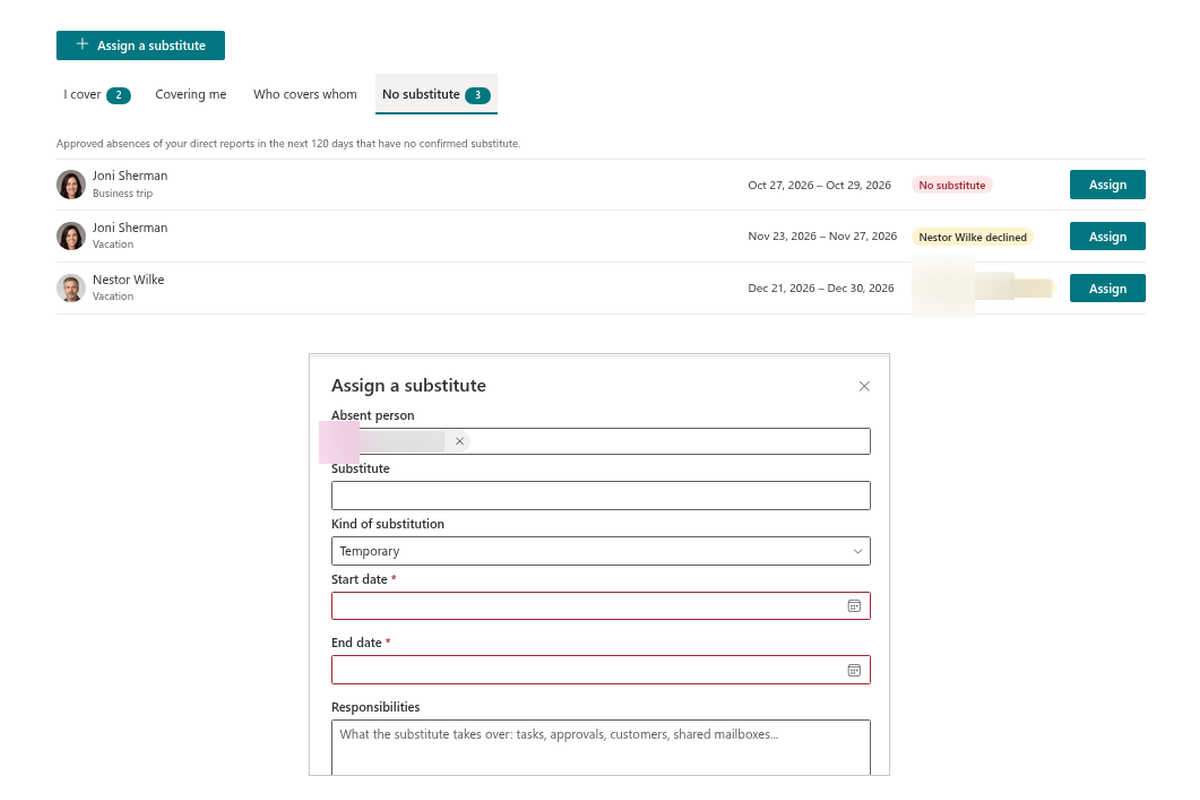
Never Leave a Gap — and Hand Over Duties
Managers get a No substitute tab: the approved absences of their direct reports in the coming days for which nobody has confirmed coverage — or where the substitute declined. One click on Assign opens the panel to choose a substitute and describe the responsibilities.
Two kinds of substitution are supported: Temporary for vacations and other absences, and Handover of duties for an employee who is leaving. A handover has no end date unless you set one, so the knowledge transfer stays visible after the last working day.
Your Rules, Your Data
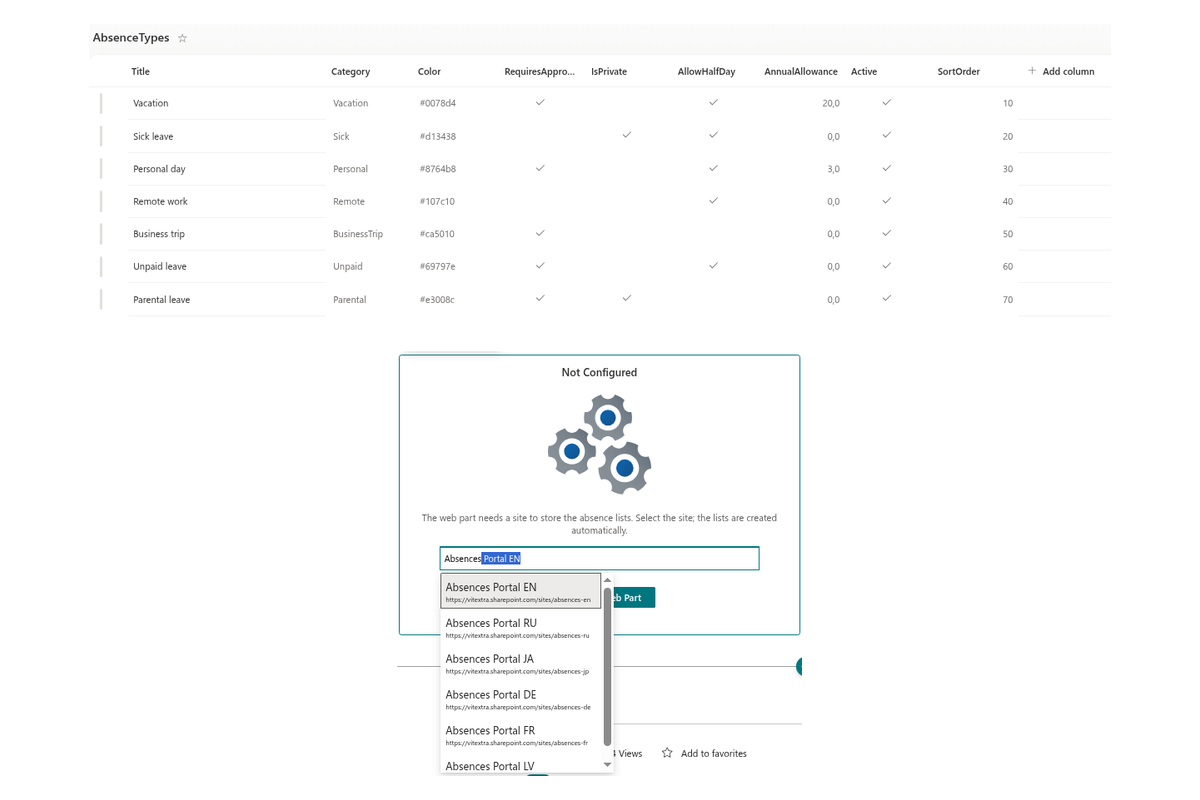
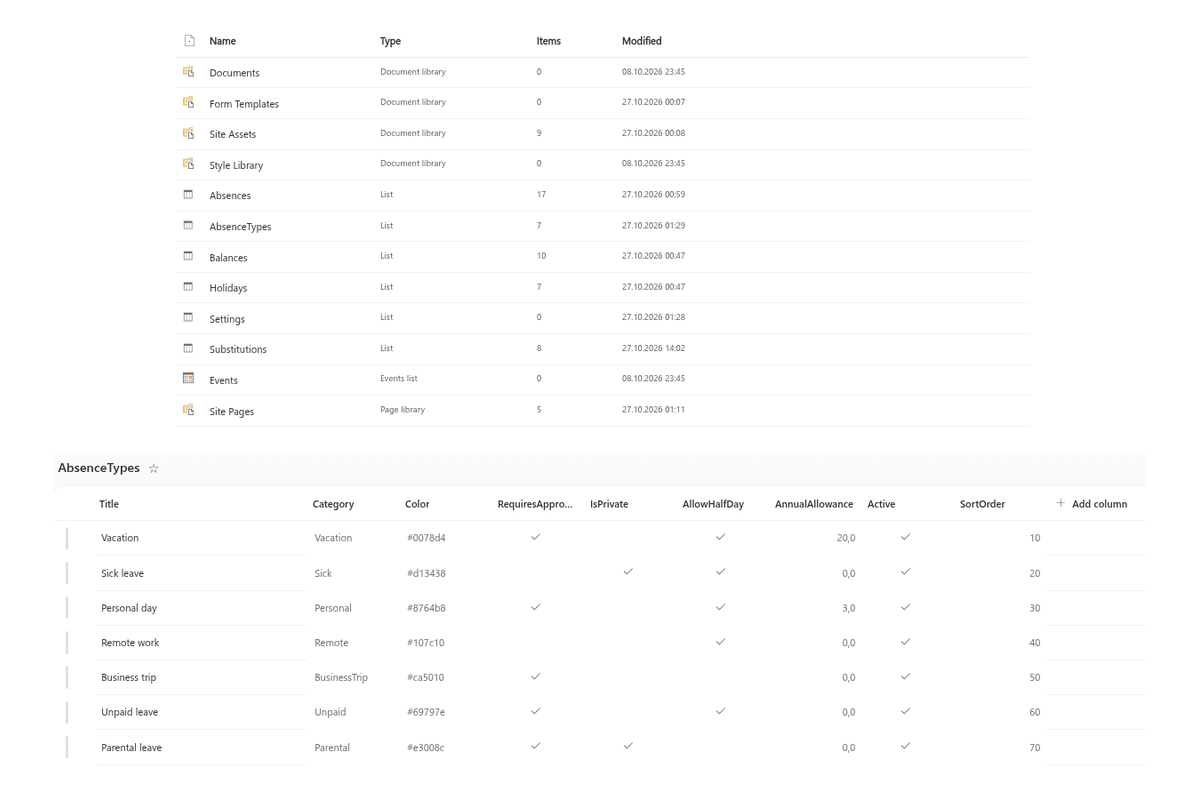
Absence types, balances, public holidays and settings live in ordinary SharePoint lists on the site you choose. The first web part you add to a page asks for that site and creates the lists with a ready-made set of types — vacation, sick leave, personal day, unpaid leave, parental leave, business trip and remote work. For each type you decide its color, whether approval is required, whether it is private, whether half days are allowed and the yearly allowance.
Set the work week, the fallback approver and whether a negative balance is allowed, add your public holidays and per-person entitlements and carry-over — and the working-day counts follow. Because everything is stored in your own SharePoint site, permissions, retention and backup remain under your control.
Knowledge Base
Read articles related to Absence & Coverage


Reviews
No reviews yet
Supported Languages
Supported languages
Platforms
Supported platforms
Recent Changes
- v26.10.8 #
🚀 First release
Version 26.10.8 is the first public release of Vitextra Absences & Substitutions (Employee Lifecycle Suite): three web parts for SharePoint Online pages and a Microsoft Teams app. Employees request time off and see their balances, managers approve with team conflicts in view, everybody sees who is away, and substitutes are assigned, confirmed and tracked. All data stays in SharePoint lists of your own site. Licensed per tenant, not per user.
My Absences
- Balances per absence type: entitlement (including carry-over), used, pending and remaining days.
- New request panel: type, dates, half days (starts or ends at midday), an optional substitute and a comment; the working days are calculated live (weekends, public holidays, half days). Warnings for overlapping requests, insufficient balance and a missing approver. Types without approval are approved immediately.
- My requests for the selected year with statuses, cancellation and Add to my calendar (
.ics). - Approvals tab for approvers: colleagues also away in this period, approve or reject with a comment (the reason is required for a rejection). Approver: the manager from Microsoft Entra ID, otherwise the fallback approver; self-approval is automatic.
- Optional Upcoming public holidays block.
Team Absence Calendar
- Timeline (people × days) and Month views; Week, 2 weeks and Month ranges.
- Scopes: My team, My direct reports, My department, Everyone with absences.
- Away today with substitutes, clickable Absence types legend, pending requests hatched, public holidays and weekends shaded, today marker, half days marked, tooltips, Export to CSV.
- Private absence types (for example sick leave) are shown to colleagues as "Away".
Substitutions
- Tabs I cover, Covering me, Who covers whom (search, Running and planned filter, In progress / Planned / Ended) and, for managers, No substitute (approved absences of direct reports in the next 120 days without a confirmed substitute, Assign button).
- Assign a substitute panel: absent person, substitute, period, kind, responsibilities. Kinds Temporary and Handover of duties (offboarding, no end date required).
- A substitute named in a request becomes a substitution when the request is approved; it is cancelled with the request. Statuses: Waiting for confirmation, Accepted, Declined, Cancelled.
- The
Substitutionslist is the data source for "who covers X" in People Connector.
Discover more apps
Suggested apps
Share
Send feedback
We would love to hear from you! Please take a moment to let us know about your experience.