Knowledge Base
Featured Articles
The following articles are some of the most helpful ones. One of them may be the one you are looking for.
Vitextra Product Versioning: How to Read Version Numbers
Reference for the unified year.month.build versioning scheme used by Vitextra products for Microsoft 365 since October 2026, with a table of old and new version numbers for every product.
Setting a Background Image for a Tile
How to use a picture as the background of a tile in the Vitextra Smart Tiles web part: the Background image option, entering a URL or picking an image from a site library, how the image is cropped and scaled, keeping the title readable, the color fallback, the YouTube thumbnail and removing the image.
Choosing Icons for Tiles: Standard, File Type, App, Azure and Vitextra Icon Sets
The five icon sets of the Vitextra Smart Tiles web part - Fluent UI standard icons, file type icons, Microsoft 365 app icons, Azure service icons and Vitextra product icons - how to pick an icon in the icon panel, how icon color, size, indent and shadow work, and when to use a custom image instead.
Smart Tiles: Solution Overview
What the Vitextra Smart Tiles web part is and what it offers: tile-based navigation for SharePoint Online pages with six icon sources, theme and predefined colors, background images, descriptions, hover effects, audience targeting, import and export of tiles, and support for 44 languages.

Employee Directory Quick Filters: My Department, My Team, People I Work With, Favorites
Explains what each quick filter in the Vitextra Employee Directory web part shows and what data it relies on: My department, My team, People I work with and Favorites (saved in your browser), why a filter tab may be missing, and how administrators turn quick filters on or off.

Announcements Carousel: Getting Started with the SharePoint Announcements Web Part
Introduction to the Vitextra Announcements Carousel web part for SharePoint Online: key features, adding it to a page, choosing or creating the announcement list and managing announcements in Microsoft Lists, including automation with Power Automate.
Vitextra Licensing and Account: How to Buy and Activate a License
Guide to Vitextra licensing: the free 14-day trial, choosing a product and subscription period, purchasing a license, assigning it to your Microsoft 365 tenant and verifying the license status. One license covers both SharePoint Online and Microsoft Teams.
Configuring the List Filter Online Web Part
How to configure the Vitextra List Filter Online web part for SharePoint Online: data source and columns, column formats, folders, item limit and pagination, sorting, grouping and totals, the Query Builder, the filter pane with cascading and remembered filters, the command toolbar, appearance, developer tools and licensing.
How to Set Up Permissions for Quick Poll Responses
Learn how to let users with read-only access to the host site take part in Quick Poll polls and surveys: the securable objects, the permissions each role needs, granting Contribute on the Responses list and the Teams tab case.

Employee Directory Overview: Web Parts, SPFx and Microsoft Graph
Overview of the Vitextra Employee Directory solution for SharePoint and Microsoft Teams: the Employee Directory, Employee Directory (Entra ID) and New Employees web parts, SharePoint Framework hosting, Microsoft Graph permissions, data sources, layouts, quick filters, favorites, skills search, local time and availability, and the Entra ID filter editor.

How to Export Employee Directory Results to Microsoft Excel
Learn how to enable and configure export of Employee Directory search results to Microsoft Excel (version 4.0.0 and higher): turn on the Export option, choose the columns, run the export from the search box area and know the limitations.

How to Display Custom Entra ID Attributes in the Employee Directory Web Part
Show custom Microsoft Entra ID user attributes - directory extensions, extensionAttribute1–15 synchronized from on-premises Active Directory and other user properties - in the Vitextra Employee Directory and Employee Directory (Entra ID) web parts on SharePoint and in Microsoft Teams.
How to Display Custom Entra ID Attributes in the Employee Directory Web Part
Show custom Microsoft Entra ID user attributes - directory extensions, extensionAttribute1–15 synchronized from on-premises Active Directory and other user properties - in the Vitextra Employee Directory and Employee Directory (Entra ID) web parts on SharePoint and in Microsoft Teams.
How to Filter a SharePoint List or Library by Date Range with List Filter
Learn how to filter a SharePoint list or document library by date range with the Vitextra List Filter web part: add DateTime columns to the filter panel, choose the Date range control and set begin and end dates without creating extra views.
Number Generator: Numbering Schemes, Formulas and Samples
Reference for Vitextra Number Generator, which automatically generates numbers and names in SharePoint lists and libraries: activating the site collection feature, creating numbering schemes, formula syntax with columns and sequences, and five ready-to-use samples.
How to Export Employee Directory Results to Microsoft Excel
Learn how to enable and configure export of Employee Directory search results to Microsoft Excel (version 4.0.0 and higher): turn on the Export option, choose the columns, run the export from the search box area and know the limitations.
How to Deploy and Set Up Short URL Online
Learn how to deploy Vitextra Short URL Online in a Microsoft 365 tenant: the two .sppkg packages, deploying them to the SharePoint App Catalog and enabling the command bar extension on each site to shorten links to documents and folders.
Employee Directory Overview: Web Parts, SPFx and Microsoft Graph
Overview of the Vitextra Employee Directory solution for SharePoint and Microsoft Teams: the Employee Directory, Employee Directory (Entra ID) and New Employees web parts, SharePoint Framework hosting, Microsoft Graph permissions, data sources, layouts, quick filters, favorites, skills search, local time and availability, and the Entra ID filter editor.
Vitextra List Filter: Filtering Controls and Supported Column Types
Reference for all 14 filtering controls of the Vitextra Filter web part for SharePoint, including Text, Autocomplete, Date, People Picker, Taxonomy Term, Slider and Number Range, with the SharePoint column types each control supports and a compatibility matrix.
How to Automatically Fill the Title Column with the File Name
Learn how to use Vitextra Document Auto Title to populate the Title column of a SharePoint document library with the file name when a document is uploaded or edited: activate the site feature and turn on auto-population in the library settings.
How to Set Up Permissions for Quick Poll Responses
Learn how to let users with read-only access to the host site take part in Quick Poll polls and surveys: the securable objects, the permissions each role needs, granting Contribute on the Responses list and the Teams tab case.

How to Export SharePoint List Data to Excel with List Filter
Learn how to export a SharePoint list to a Microsoft Excel file with the Vitextra List Filter web part: enable the Export button, export the complete list and understand which columns, filters and permissions apply.
How to Add and Configure the Smart Tiles Web Part
Step-by-step guide to adding the Vitextra Smart Tiles web part to a SharePoint Online page: deploying the package, finding the web part in the toolbox, the sample tiles, the web part title, every setting of the Appearance group, the About group and placing the panel in a full-width section.
How to Create a Single App Page with Vitextra Employee Directory
Learn how to create a SharePoint single app page with the Vitextra Employee Directory web part: use New > Page > Apps, create the page, enter a title, adjust the web part settings and save. Available in the modern UI only.
List Filter Online: A Quick Guide for End Users
How to work with the Vitextra List Filter Online web part on a SharePoint Online page: filter with the filter pane and column headers, clear filter chips, browse folders, open, preview, download and manage items from the context menu, select items, page through results, save filters and export to Excel.
Employee Directory (Entra ID): Filter Editor Reference
Reference for the filter editor of the Vitextra Employee Directory (Entra ID) and New Employees web parts: available fields, operators, value types, groups and AND/OR logic, user roles, how the filter relates to Microsoft Graph, limitations and ready-to-use examples.
How to Add the Absence & Coverage Web Parts to a Page and Select the Site
Step-by-step guide to adding the My Absences, Team Absence Calendar and Substitutions web parts to a SharePoint page, selecting the site that stores the absence lists, what is created automatically, and the property pane settings with their default values.
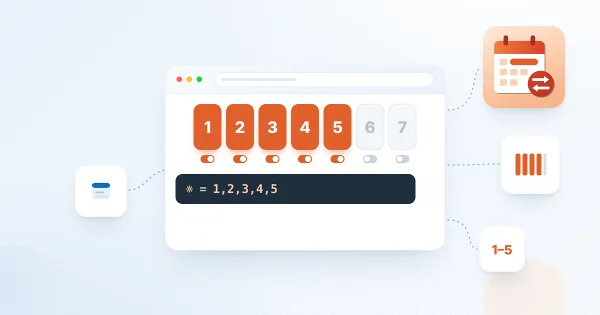
How to Set the Working Week
Define which days of the week count as working days in Vitextra Absence & Coverage: add the WorkDays row to the Settings list, choose the weekday numbers, see how the setting changes the working-day count of requests and the shading of the Team Absence Calendar.
Smart Search. Solution Overview
Vitextra Smart Search is a configurable search web part for SharePoint Online and Microsoft Teams. Learn how it works: search source tabs, a refinement panel with date filters, a customizable result layout with view analytics, document preview and video playback, and shareable search links.
How to Export My Tasks to Excel
How to export your task list from the Vitextra My Tasks web part with the Export To Excel button: what exactly is exported, the columns and the file name, why the file is a UTF-8 CSV, how to open it in Excel without broken characters or merged columns, and how filters affect the result.

Employee Directory vs. Employee Directory (Entra ID): Which Web Part to Choose
Compare the two Vitextra directory web parts - Employee Directory (SharePoint search or Microsoft Graph) and Employee Directory (Entra ID) - by data source, search, refinement panel, filter editor, exclusions, A–Z navigation, skills search and export, and find out which one fits your scenario.
How to Display Custom Entra ID Attributes in the Employee Directory Web Part
Show custom Microsoft Entra ID user attributes - directory extensions, extensionAttribute1–15 synchronized from on-premises Active Directory and other user properties - in the Vitextra Employee Directory and Employee Directory (Entra ID) web parts on SharePoint and in Microsoft Teams.
Downloading and Copying a QR Code: PNG, JPEG, SVG and WebP
How to take a QR code out of the Vitextra QR Code Generator web part: download it as PNG, JPEG, SVG or WebP, set the image size from 300 to 4000 pixels, copy the code to the clipboard and choose the right format for print, documents and the web.

Customizing the QR Code Design: Shape, Colors, Gradient and Corners
Reference for the design sections of the Vitextra QR Code Generator web part: six dot shapes, dot and background colors with transparency, linear and radial gradient, the shape and color of corner squares and corner dots, error correction levels and practical rules that keep a styled QR code readable.
Using a Custom Image as a Tile Icon
How to replace the icon of a tile in the Vitextra Smart Tiles web part with your own image: the Custom image option, entering an image URL or picking a picture from a document library of the site, image requirements, sizing, and removing the image to return to an icon.
Azure DevOps Query Viewer: Setup and Connecting a Query
How to add the Azure DevOps Query web part from Vitextra My Tasks to a SharePoint page and connect it to a saved Azure DevOps query: requirements, the Not Configured checklist, choosing the organization, project and query, supported query types, item limit, appearance and miscellaneous settings.
How to Export Employee Directory Results to Microsoft Excel
Learn how to enable and configure export of Employee Directory search results to Microsoft Excel (version 4.0.0 and higher): turn on the Export option, choose the columns, run the export from the search box area and know the limitations.

Employee Directory: Local Time, Working Hours and Availability
Learn how the Vitextra Employee Directory details pane shows a colleague's local time, time difference, working hours and today's free/busy schedule next to your own, where the data comes from, which Microsoft Graph permissions it needs and how administrators turn it on or off.
How to Display Custom Entra ID Attributes in the Employee Directory Web Part
Show custom Microsoft Entra ID user attributes - directory extensions, extensionAttribute1–15 synchronized from on-premises Active Directory and other user properties - in the Vitextra Employee Directory and Employee Directory (Entra ID) web parts on SharePoint and in Microsoft Teams.
Vitextra List Filter: Filtering Controls and Supported Column Types
Reference for all 14 filtering controls of the Vitextra Filter web part for SharePoint, including Text, Autocomplete, Date, People Picker, Taxonomy Term, Slider and Number Range, with the SharePoint column types each control supports and a compatibility matrix.
How to Manage Your Vitextra Subscription
Step-by-step guide to managing a Vitextra subscription: viewing your subscriptions, adding or removing licenses, assigning licenses to a Microsoft 365 tenant, removing an assignment and canceling a subscription, including what happens after cancellation.
How to Change the Color Scheme and Appearance of the List Filter Web Part
Learn how to restyle the Vitextra List Filter panel to match your corporate branding: register custom CSS with a Script Editor web part, use the CSS class reference and see examples for colors, labels, lists and button alignment.
How to Update a Vitextra SPFx Solution in SharePoint Online
Step-by-step guide to updating an existing Vitextra SharePoint Framework (SPFx) solution: download the latest version from the download center, replace the .sppkg package in the App Catalog, deploy it, approve API access if needed and sync to Microsoft Teams.
How to Activate On-Premises Vitextra Products with a Serial Number
Learn how to activate on-premises Vitextra products with a purchased serial number: find your activation key on the My Products page, then enter it in SharePoint Central Administration and activate the product.
How to Change the Currency for Vitextra Purchases
Learn how to change the billing currency in your Vitextra account profile, which currencies are supported (USD, EUR, GBP, JPY, CNY, CHF, AUD, CAD), what happens to items already in your cart and why the currency cannot be changed after a purchase.

How to Showcase New Hires with the New Employees Web Part
Learn how to spotlight recently hired employees on a SharePoint site with the New Employees web part from Employee Directory: add it to a page, set the look-back period (last 1–6 months) and the number of employees, filter users with the filter editor, and configure card size, card fields and actions.
Employee Details: Choosing Who Can See Your Skills, Languages and Accounts
How the Audience setting works in Vitextra Employee Details: the choices Me, Organization and Everyone, which profile items have an audience, what it does not control, and how to change it for your skills, languages, social accounts, projects, education, awards and certificates.
Tile Sizes and Layout in Smart Tiles
How tiles are arranged in the Vitextra Smart Tiles web part: the six tile sizes from Extra Small to Full Width and the share of the row each takes, how tiles wrap and stretch to fill rows, the Internal, Icon and External Indent settings, tile height, and layout recipes for sections, columns and full-width panels.
How to
Step-by-step guides
How To Export a User Profile as a Business Card (vCard)
The downloaded vCard opened as a contact card showing the name, e-mail, job title, company, address and phone numbers of the employee.
How To Color Folders in SharePoint Online
The context menu of a folder in the List Filter Online web part with the Folder Color submenu open, showing the palette of 16 preset colors.
How To Add Employee Directory App to Microsoft Teams
Microsoft Teams with the Employee Directory (Employees) icon pinned in the left app bar, and the app open showing the employee search page with quick filters and a grid of employee cards.
How To Create a Custom Searchable User Profile Property
The property pane of the Employee Directory web part, Employee Details section, where the new managed property is selected as a custom attribute.
How To Create a Short Link in SharePoint Online
The Create shortened URL form of the Short URL Online web part with the Name, Origin URL, Domain and Short URL fields filled in and the Create button highlighted.
How To Export a SharePoint List to Excel
The downloaded workbook open in Excel: a formatted table whose columns match the columns of the web part, with the totals row at the bottom.
Share
Smart Search
Smart Search is a powerful, configurable search web part for SharePoint Online designed to help you quickly and efficiently find the information and documents you need. Search operators, sorting, saved searches, shareable links, a details panel and content quality indicators, together with customizable display options and advanced filtering, bring the right results to the top.
Learn more