How to Activate On-Premises Vitextra Products with a Serial Number
Published:
Updated:
Reading time: 1 Min
Highly rated
Līga Ozola
Applicable to:All Products
Highly ratedMany readers found this article helpful.
In this article
This article describes how to activate on-premises Vitextra products with a purchased serial number.
Activation Key
Open the My Products page and sign in to view your purchased products and their activation keys.
List of your purchased products
Copy any product key that hasn't been activated yet.
Activate Product
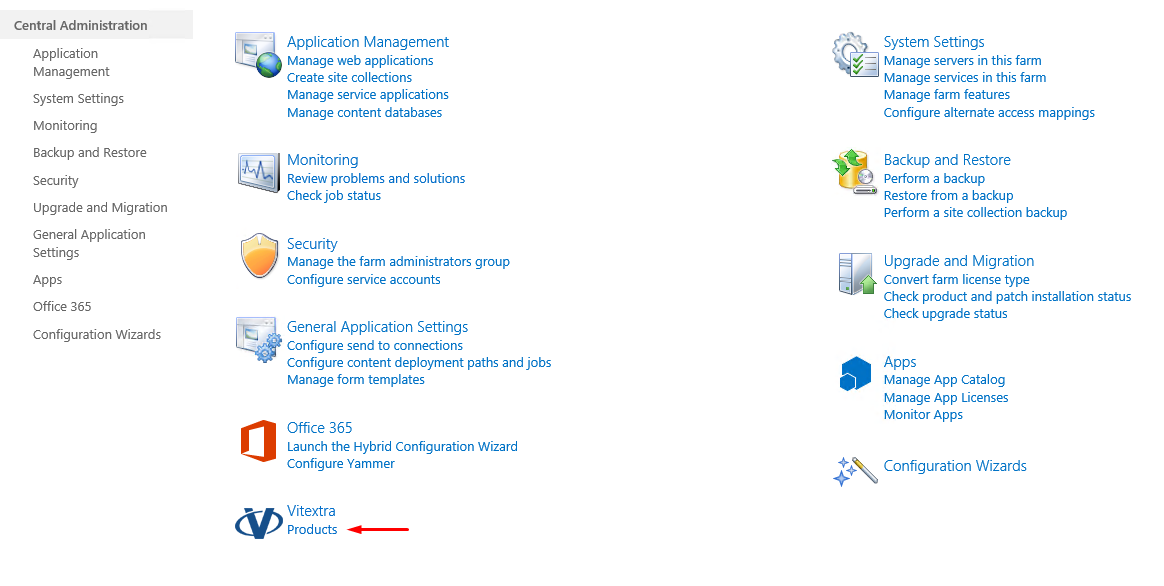
Open SharePoint Central Administration and click the Products link in the Vitextra section.
SharePoint Central Administration
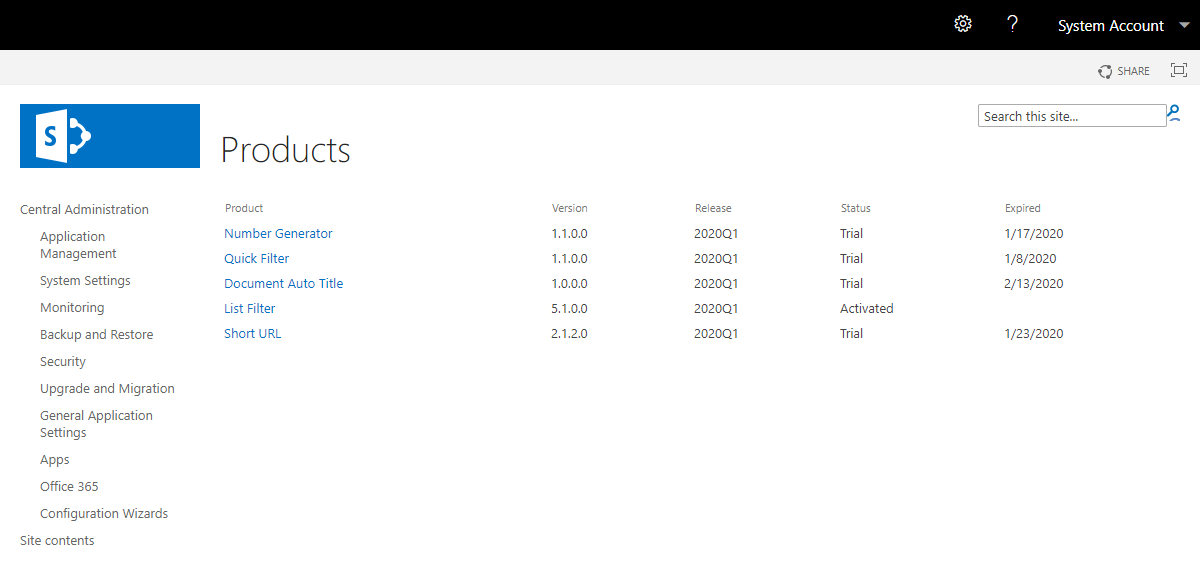
In the list of installed products, select the product you want to activate:
List of purchased Vitextra products
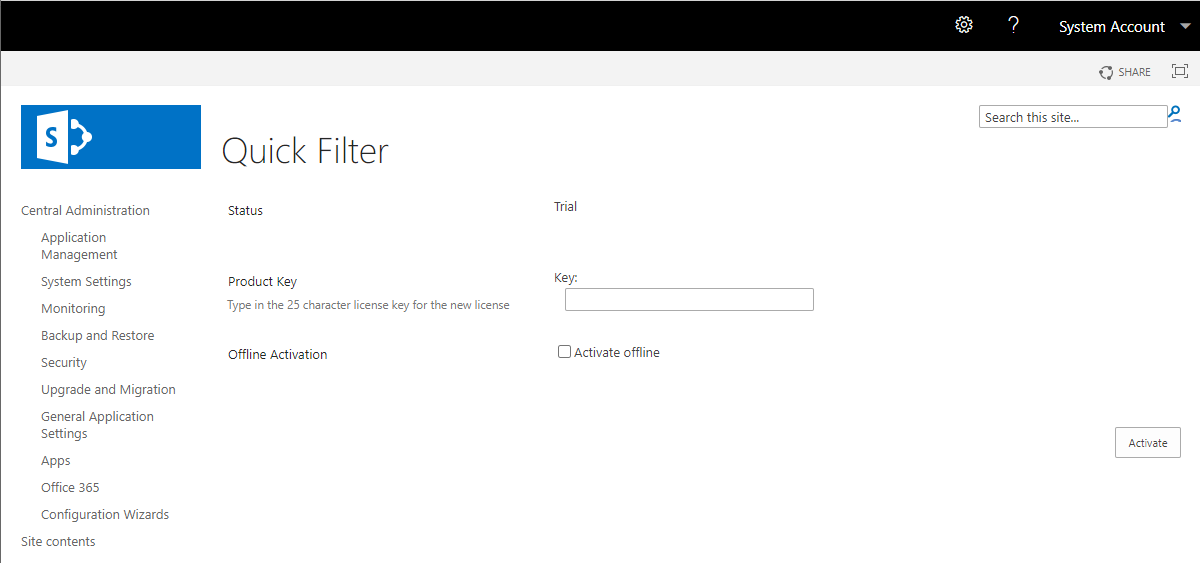
Paste the copied key in the Product Key field and click Activate:
SharePoint Central Administration
If activation is successful, the product status automatically changes to Activated.
📝 Note A Vitextra product activation key can be used only once.
Link to this page
Found this useful? Copy a ready-made link for your blog, wiki, documentation or forum answer.
HTML
<a href="https://vitextra.com/en/support/kb/10019">How to Activate On-Premises Vitextra Products with a Serial Number</a>
Markdown
[How to Activate On-Premises Vitextra Products with a Serial Number](https://vitextra.com/en/support/kb/10019)
Citation
How to Activate On-Premises Vitextra Products with a Serial Number. Vitextra Knowledge Base. Updated Nov 7, 2026. https://vitextra.com/en/support/kb/10019
Questions and answers
Ask a question about this article and get an official answer from our team.
Step-by-step: upload a JPG, PNG or SVG logo to the Vitextra QR Code Generator web part, adjust the logo size and margin, raise the error correction level so that the code stays readable, and remove or replace the logo.
Why absence requests and substitutions in Vitextra Absence & Coverage should be changed in the web parts rather than in the SharePoint list view: how dates are stored, which lists are safe to edit directly, what to avoid and how to correct a mistaken request.
How to make answers in the Vitextra Questions and Answers web part more useful than plain text: Markdown formatting in the Answer column, embedded YouTube, Vimeo and video-file answers through the Video URL column, file attachments shown as cards, the More Details link, the Contact person with a live profile card, the Show/Hide switches that control each block, and what readers see.
306 min
Share
We use necessary cookies to run this site Cookie Policy
Restoring the connectionNo connection. Retrying in sCould not reconnect to the serverThe session has expiredThe session is pausedCould not resume the session