このコンテンツはお使いの言語では利用できません。

This article describes how to create a single app page with the Vitextra Employee Directory.

Introduction

The Vitextra Employee Directory web part lets you search for users within your tenant. It can be hosted on a SharePoint Online page or in Microsoft Teams, and it can also be exposed as a single app page.

📝 Note
Single app pages are available only in the modern UI. Classic pages don't support app page functionality.

Create App Page

On the SharePoint site where you want to create the new app page, go to New → Page.
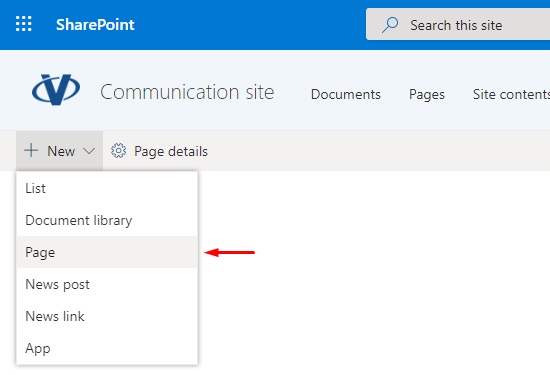
SharePoint Site Menu

SharePoint Site Menu

In the new page panel, click Apps and select Employee Directory under the Featured heading:
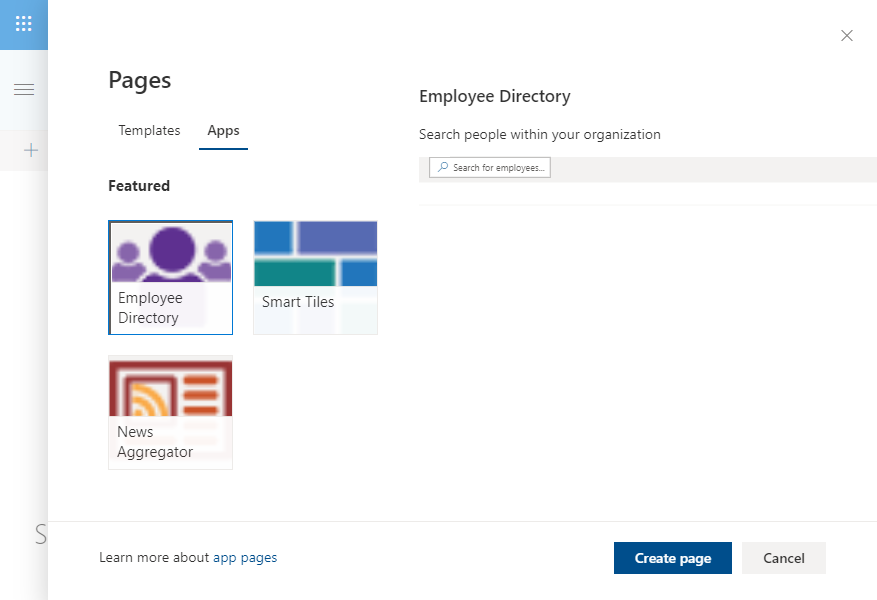
New Page Creation Panel

New Page Creation Panel

Click Create page to add the app page to the site. The new app page is created and opens in edit mode.
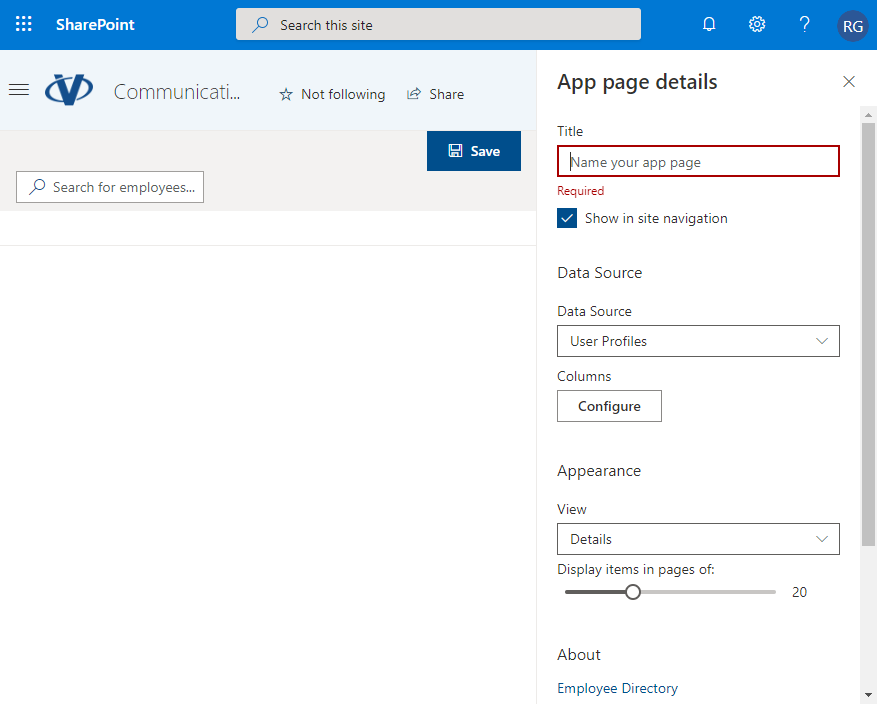
SharePoint App Page. Edit Mode

SharePoint App Page. Edit Mode

Enter a title for your page. It's required and is used as the page name. Adjust the web part settings if needed, and click Save.
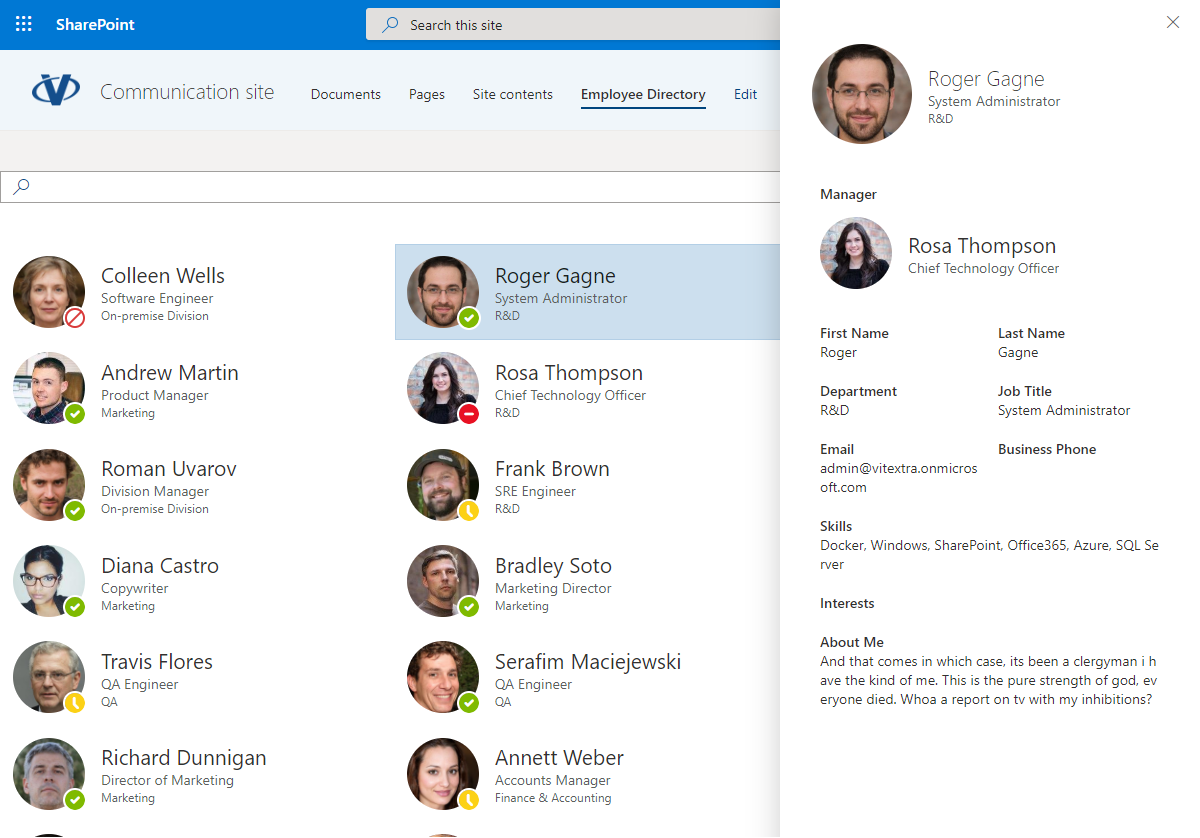
Employee Directory App Page

Employee Directory App Page

注目の記事

List Filter Online のインストールとページへの追加方法

Vitextra List Filter Online パッケージを SharePoint のアプリ カタログにアップロードし、List Filter Web パーツをモダン ページに追加して、最小限の構成 (サイト、リストまたはライブラリ、列) を完了し、ページを発行して、Web パーツを新しいバージョンに更新するまでの手順を説明します。

2026/10/13
List Filter Online でのグループ化、並べ替え、集計

Vitextra List Filter Online Web パーツの Sort、Group By、Totals 設定のリファレンスです。2 レベルの並べ替え、列ヘッダーからのユーザーによる並べ替え、最大 2 つの列によるグループ化、Count、Average、Maximum、Minimum、Sum、Standard Deviation、Variance の各関数、集計が表示される場所、Excel へのエクスポート方法について説明します。

2 2026/10/12
Azure DevOps Query Viewer Web パーツのインストールと構成方法

SharePoint Online で Vitextra My Tasks ソリューションの Azure DevOps Query Viewer Web パーツをインストールして構成する手順を説明します。前提条件、API アクセス、Web パーツの追加、組織・プロジェクト・クエリの接続、表示オプションを解説します。

2026/10/14

共有