Todos los artículos

Examine todos los artículos de la base de conocimiento y fíltrelos por producto o categoría.

Employee Directory vs. Employee Directory (Entra ID): Which Web Part to Choose

Compare the two Vitextra directory web parts - Employee Directory (SharePoint search or Microsoft Graph) and Employee Directory (Entra ID) - by data source, search, refinement panel, filter editor, exclusions, A–Z navigation, skills search and export, and find out which one fits your scenario.

18/10/2026 Vitālijs Kalniņš 107
No traducido

Employee Directory: Local Time, Working Hours and Availability

Learn how the Vitextra Employee Directory details pane shows a colleague's local time, time difference, working hours and today's free/busy schedule next to your own, where the data comes from, which Microsoft Graph permissions it needs and how administrators turn it on or off.

18/10/2026 Vitālijs Kalniņš 112
No traducido

How to Add and Configure the Employee Directory Web Part

Step-by-step guide to adding the Vitextra Employee Directory web part to a SharePoint Online page and configuring its main settings: the data source (User Profiles or Microsoft Entra ID), columns, sorting, page size, search box and totals, plus an overview of every other property pane group.

18/10/2026 Vitālijs Kalniņš 90
No traducido

How to Set Up the Refinement Panel in Employee Directory

Step-by-step guide to enabling and configuring the refinement panel in the Vitextra Employee Directory web parts: supported data sources, panel position, refiner settings, refinable managed properties for custom profile properties, and how employees use refiners together with search and quick filters.

18/10/2026 Vitālijs Kalniņš 94
No traducido

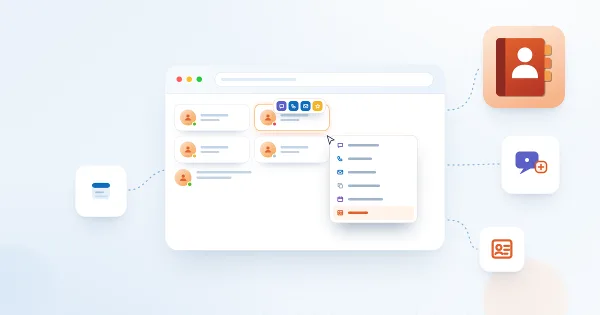
Employee Actions in Employee Directory: Chat, Call, Email, Copy Email, Schedule a Meeting and vCard

Reference for the per-person actions in the Vitextra Employee Directory web parts: Chat in Teams, Call in Teams, Send E-mail, Copy e-mail address, Schedule a meeting and Download vCard. Learn where each action appears, what it opens, when it is hidden, how it behaves in Microsoft Teams, and how administrators enable it for Quick Actions and the Context Menu.

17/10/2026 Vitālijs Kalniņš 102
No traducido